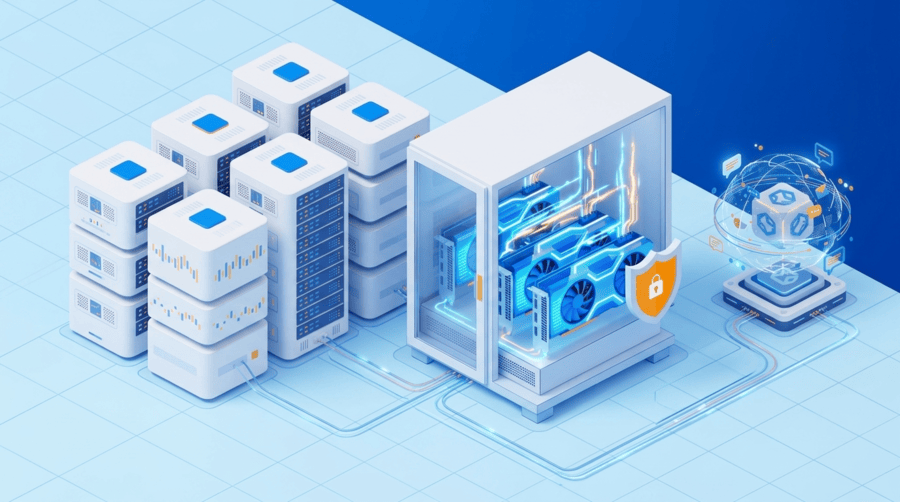
When AI rendering starts running every week, infrastructure choices begin affecting delivery speed, output consistency, and budget control. What looks affordable in the early stage can become inefficient once jobs are recurring, users are overlapping, and the same rendering stack stays active month after month. At that point, the real question is whether flexible GPU rental is still the right fit for sustained production.
Why this decision shows up during growth
Most teams begin with cloud GPUs because they are fast to launch and easy to test. That works well for model evaluation, proof-of-concept work, and short rendering cycles.
The shift happens when AI rendering becomes part of normal operations. Product visuals, generative media, video enhancement, 3D rendering, or diffusion-based image pipelines start running often enough that infrastructure is no longer just a technical choice. It becomes an operational one.
Why workload behavior matters more than labels
Not all monthly AI rendering workloads look the same. One team may run Stable Diffusion XL and ComfyUI for internal creative work. Another may use Blender, PyTorch, ControlNet, or upscaling pipelines for customer-facing output.
That is why usage pattern matters more than simply calling it AI rendering. The real questions are:
- How often do jobs run?
- How long do they run for?
- Do multiple users submit work at the same time?
- Is the same environment reused every day?
If demand is frequent and predictable, dedicated infrastructure often starts making better financial and operational sense.
What makes AI rendering expensive over time
The GPU rate is only one part of the total monthly cost. Real spend also comes from storage, bandwidth, repeated environment setup, monitoring, backup needs, and idle resources.
There is also a workflow cost. Cold starts, model loading delays, queue buildup, and unstable performance reduce efficiency even when the server bill does not look dramatic on its own.
Tips: Review total workflow cost, not just GPU hourly pricing, because setup delays and repeated overhead often push cloud spend higher than expected.
When cloud GPUs stop being the cheaper option
Cloud GPUs are still useful for short campaigns, tests, and bursty demand. But once the same rendering setup is used daily, the flexibility can become something the business keeps paying for without fully benefiting from it.
A dedicated GPU server is usually worth serious review when:
- rendering jobs run most business days
- the stack stays active continuously
- teams need predictable turnaround time
- monthly GPU usage is no longer light
- billing has become harder to forecast
When demand is stable, fixed infrastructure often becomes easier to justify.
Why the full server matters, not just the GPU
A GPU server performs well only when the rest of the system can keep up. CPU handles orchestration and preprocessing. RAM supports multi-job workflows. NVMe storage affects model loading, caching, and output writes. Network quality affects uploads, collaboration, and delivery.
A powerful GPU inside an unbalanced server can still create bottlenecks. For AI rendering, the server should be evaluated as one production unit.
Tips: Check VRAM, RAM, NVMe storage, and network together, because rendering performance usually depends on the whole server, not the GPU alone.
How concurrency changes the cost equation
A setup that works well for one user may struggle once several jobs overlap. Concurrency increases pressure on GPU memory, storage, and queue handling. This is often where dedicated GPU servers become more attractive.
Reserved hardware makes it easier to size around real production overlap instead of average usage. That matters for agencies, internal creative teams, and customer-facing rendering services.
Tips: Size for peak overlapping jobs, not average usage, because rendering systems are judged during busy periods, not idle ones.
When dedicated GPU servers are usually justified
Monthly AI rendering workloads often justify a dedicated GPU server when rendering has moved beyond occasional use and become part of regular delivery. Common signs include:
- jobs run weekly or daily
- the same AI pipeline is reused often
- output delays affect teams or customers
- cloud spend is becoming less predictable
- multiple users rely on the same rendering environment
- the workload is stable enough to standardize on specific GPU resources
At this stage, dedicated hosting can improve both cost visibility and performance consistency.
When dedicated is not the right fit
Dedicated infrastructure is not always the better option. If rendering demand is light, temporary, or highly irregular, cloud GPUs usually remain more practical. That includes testing, early experimentation, and short project cycles.
For some businesses, the best approach is hybrid. Dedicated servers handle the steady baseline, while cloud capacity supports spikes or one-off jobs.
Final verdict
Monthly AI rendering workloads justify a dedicated GPU server when usage becomes steady, recurring, and performance-sensitive enough that cloud flexibility no longer offsets the extra cost and operational friction. Cloud GPUs still make sense for testing and burst demand, but once AI rendering becomes part of regular production, dedicated infrastructure often delivers better consistency, clearer budgeting, and stronger long-term value.
For teams exploring dedicated GPU server options, Dataplugs is worth considering for its customizable server configurations, strong network connectivity, enterprise-grade hardware, and 24/7 support. To discuss a suitable setup, contact the Dataplugs team via live chat or email at sales@dataplugs.com.