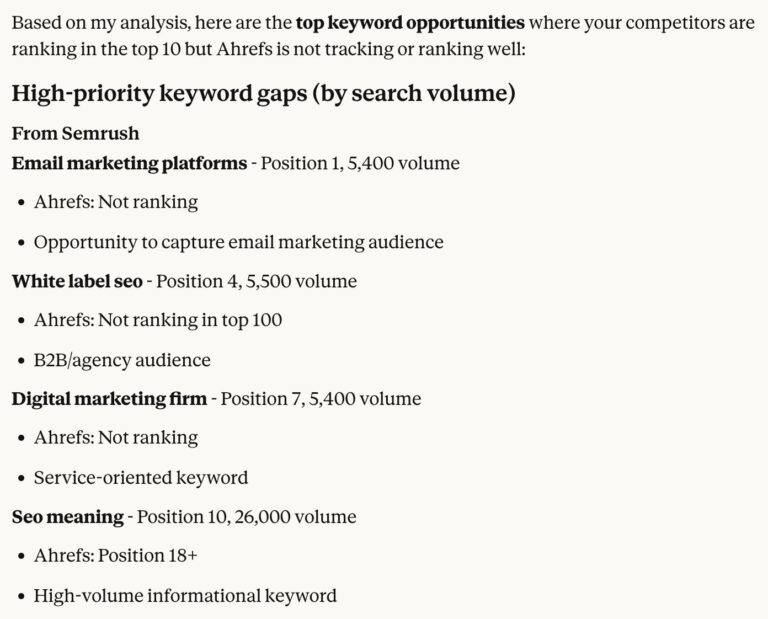
Chatbots typically don’t have access to real SEO data, so they often make things up and present them as facts. But once you connect AI to real SEO data, it becomes a keyword research tool you’ll wonder how you ever worked without. It can help with everything from brainstorming ideas and clustering keywords to sorting search intent and handling the repetitive, time-consuming tasks.
In this article, I’ll show you how to do keyword research with AI using Agent A, Ahrefs’ AI marketing assistant, and the prompts to set up a similar workflow in other AI tools, like Claude, through an MCP connection.
The first two have been around for a while. The third is what makes the workflow in this article possible—especially when the model is also agentic.
Recommendation
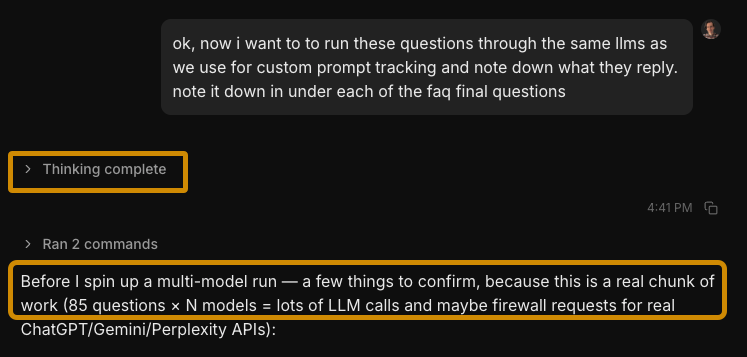 That’s exactly what systems like Agent A and Claude Cowork with MCP are doing.
 Tip: If you already have an Ahrefs subscription, you can try Agent A for free for a full month!
You can run the same prompts today in Claude, ChatGPT, Manus, OpenClaw, or even Lovable, but make sure you have an MCP connection or API connection to a keyword database (or exported data from your SEO tool, at minimum). Once connected, the model can query real keyword data mid-conversation (volume, difficulty, traffic potential, SERP data, competitor rankings) and reason over it in the same pass.
1. How to expand seed keywords and cluster them
Give the AI a topic, your site context, and your constraints (KD, traffic potential, intent). It pulls matching keywords and related terms from the database, including terms top-ranking pages also rank for, filters to your thresholds, and clusters everything by parent topic. Each cluster maps to one article.
Here’s an example prompt:
I run [describe your site]. My audience is [describe audience].
Do keyword research for the topic "[your topic]". I want:
- 30+ keyword opportunities, KD < 30 and TP > 100
- Grouped by parent topic (one cluster = one article)
- Each cluster: suggested title, primary intent, top keyword by TP
- Prioritized by traffic potential
Visualize
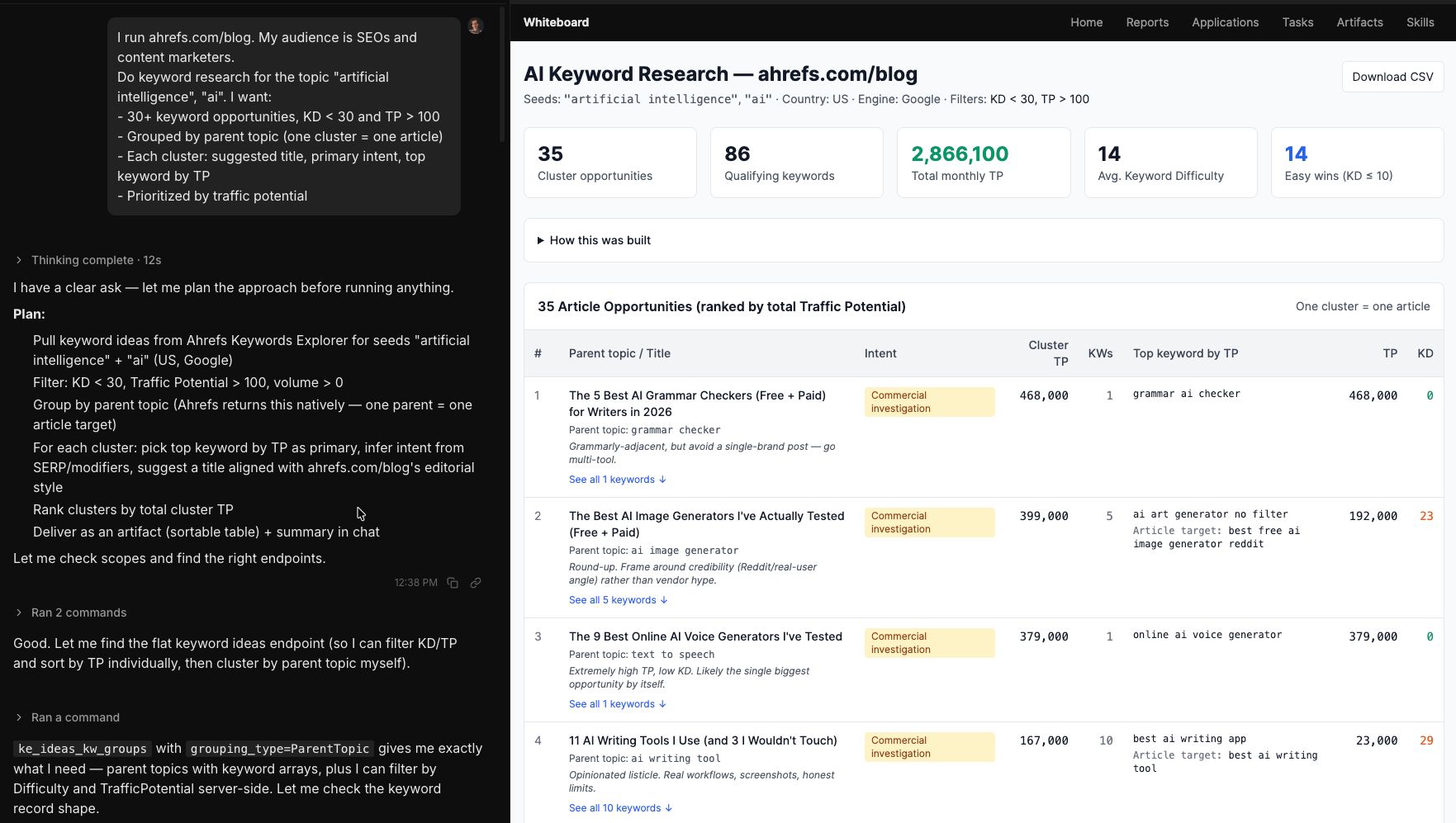
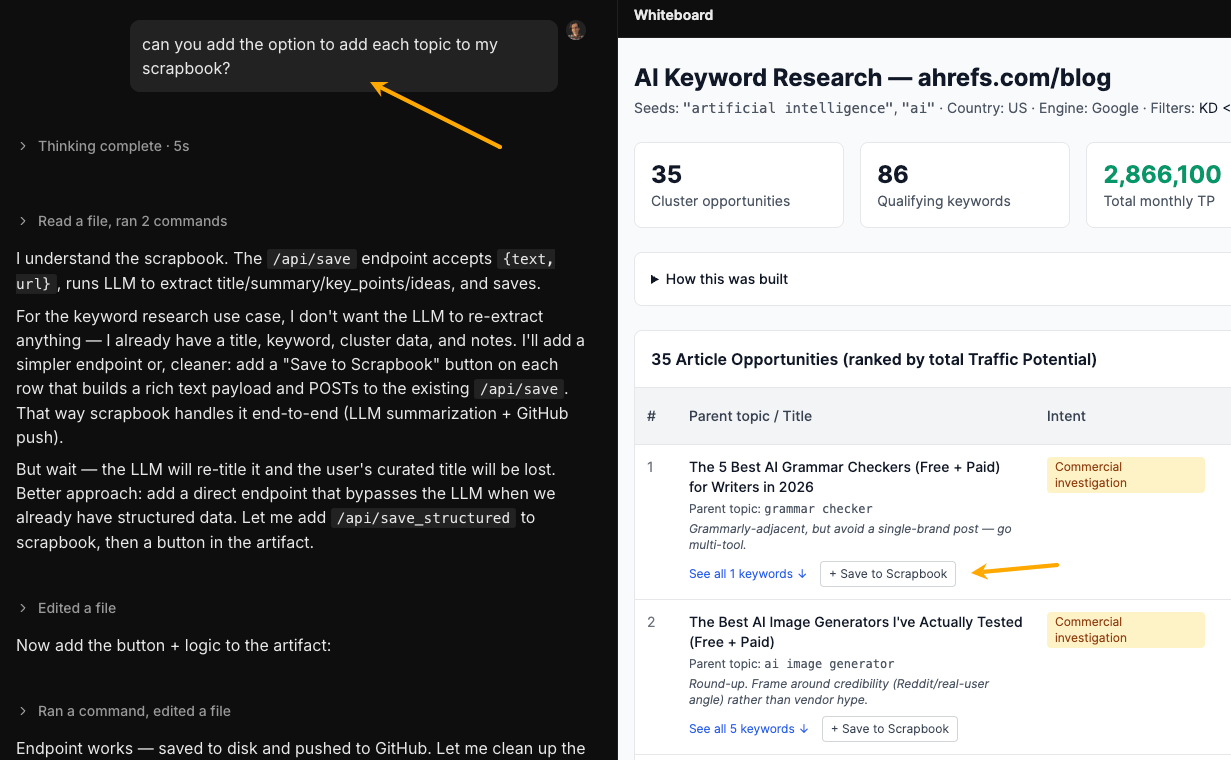
And here you can see Agent A conducting research using Ahrefs data (my prompt and AI’s thinking on the left, the result on the right).
From there, I can tweak the result to make it more useful in practice. For example, I could tell Agent A something like: “add an option that lets me save each of those topics to my scrapbook.”
By the way, scrapbook is an app that I also built with Agent A from a prompt (much like you would with Lovable) to store ideas, inspirations, and sources I’d like to reference later.
2. How to find competitor keyword gaps
Tell the AI your domain and two or three competitors. It pulls their organic keywords, cross-references against yours, and surfaces what they rank for that you don’t. These are proven opportunities: real people search for them, and someone in your space already ranks.
My site is [mysite.com]. My main competitors are [comp1.com, comp2.com].
Find keywords they rank for in the top 20 that I don't rank for at all.
Filter to KD < 40 and traffic potential > 200.
Group the gaps into topic clusters and rank by traffic potential.
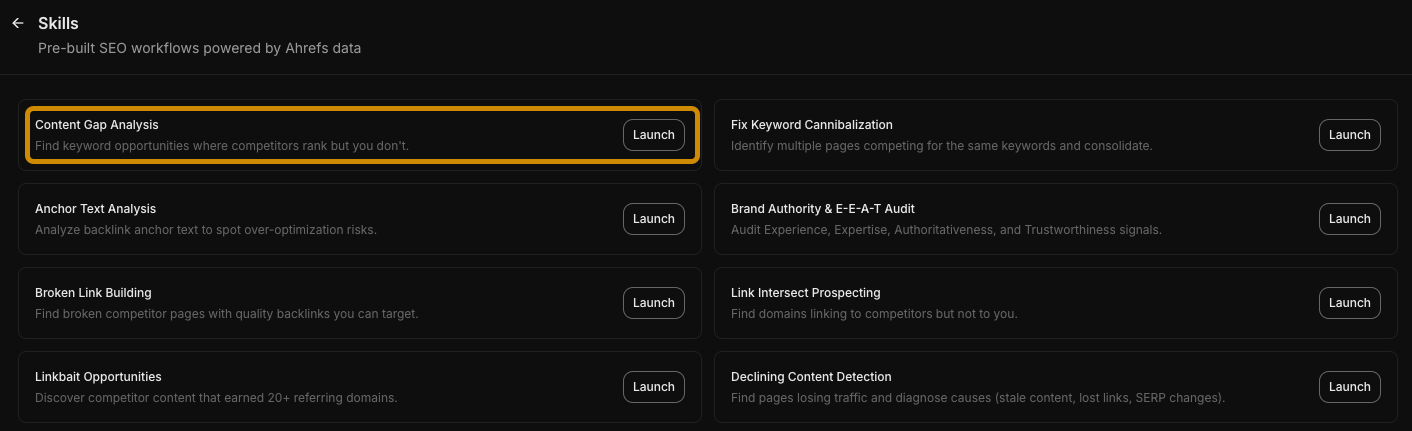
Agent A has a content gap analysis skill pre-installed, so you could just click “Launch” to get started.
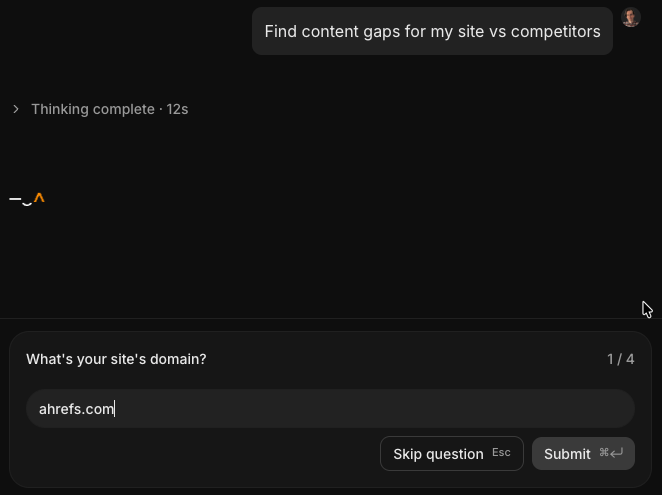
Then the Agent takes you through a short questionnaire to understand your specific context.
3. How to find “low-hanging fruit” keywords
Keywords you already rank for in positions 4–20 are close enough to page one that a content refresh, better internal linking, or on-page optimization could push them into the top 3.
In this workflow, the AI pulls your organic keywords, filters to this position range, and sorts by the traffic you’d gain from moving up.
My site is ahrefs.com/blog.
Find keywords where I rank between positions 4 and 20. Exclude branded keywords.
For each: current position, search volume, traffic potential.
Rank by potential traffic gain from reaching position 1–3. Sort by parent topic.
Which 100 keywords are the best optimization targets right now? Visualize.
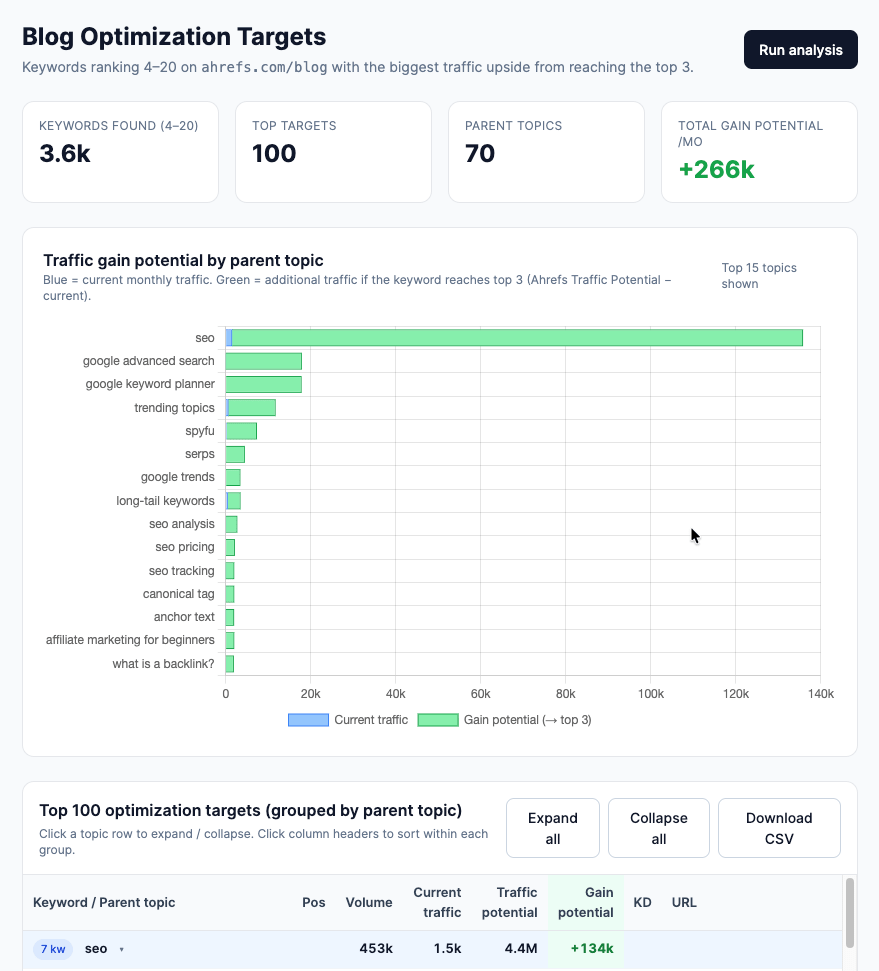
And here’s the result in Agent A—a dashboard you can chat with:
4. How to find pages with traffic decay
Instead of individual keywords, the AI pulls your top pages and compares their traffic across two dates. Pages with declining traffic are candidates for a rewrite or update, especially if they once performed well.
My site is [mysite.com].
Compare organic traffic to my top pages between [6 months ago] and today. Find the pages with the biggest traffic drops. For the top 10 declining pages: current vs. previous traffic, top ranking
keyword, and current position for that keyword. Which should I prioritize refreshing?
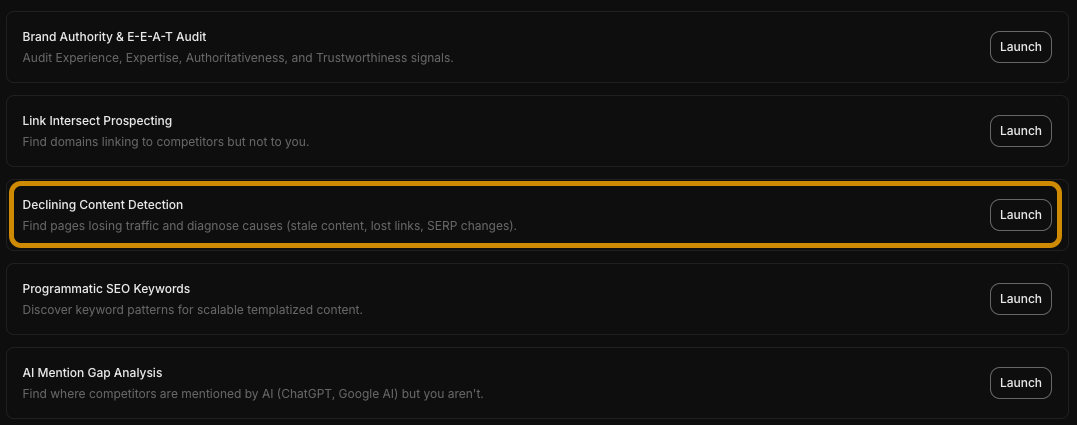
If you’re using Agent A, just launch the preinstalled skill.
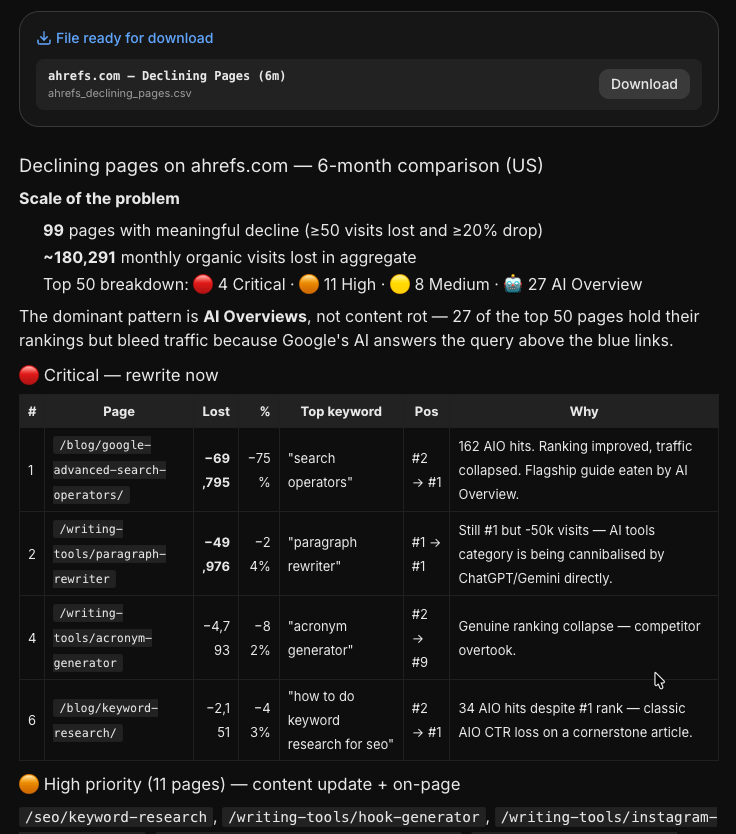
The results will look something like this (with an attached CSV file). It’s also an example that AI can just give you the answer in chat and a file to download instead of building an entire visual report if you don’t want to.
5. How to find untargeted branded keywords
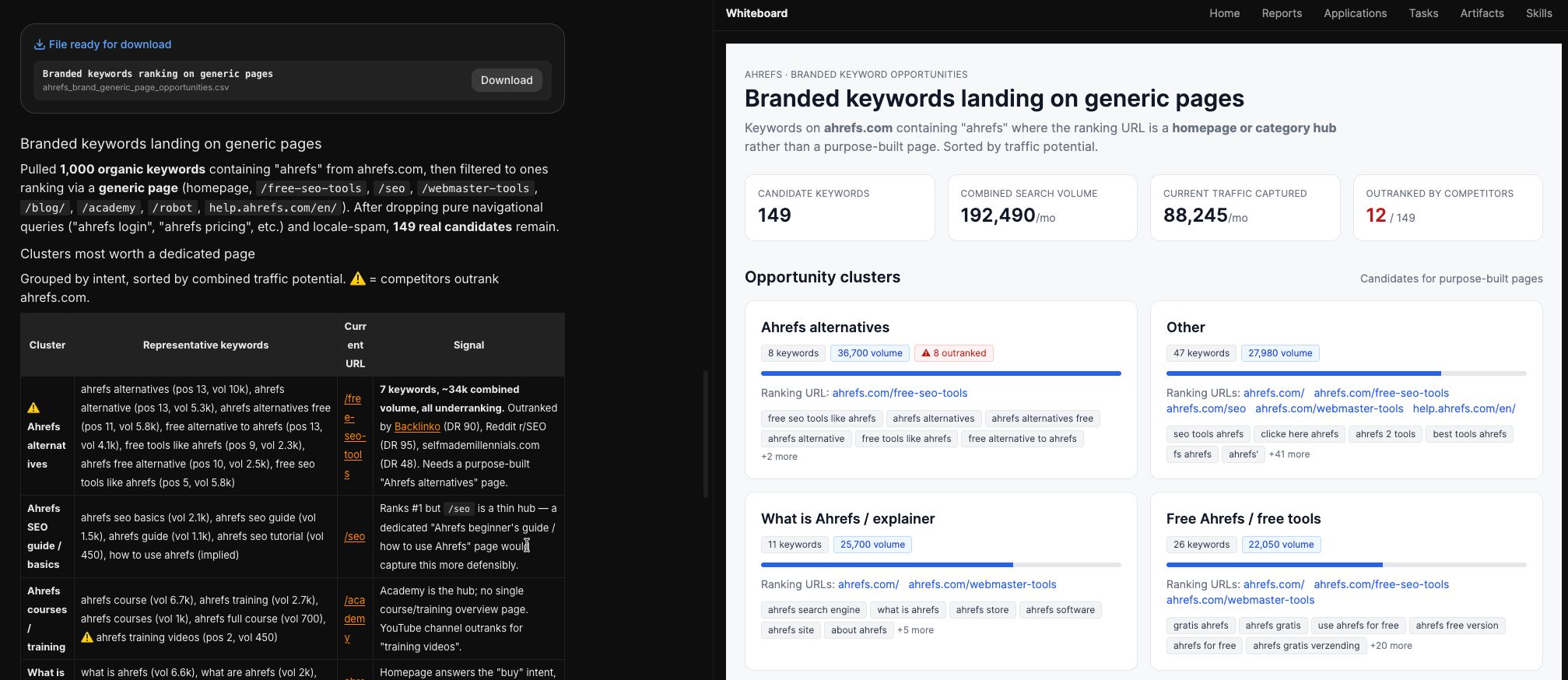
Sometimes people search for [your brand] + [something] (a feature, a comparison, a use case), but you don’t have a dedicated page for it. So, this prompt tells AI to filter your organic keywords to branded queries and cross-reference against your sitemap. Any branded keyword landing on a generic page is traffic you’re leaving on the table.
My site is [mysite.com]. My brand name is [Brand Name].
Find keywords containing "[Brand Name]" where I rank, but my ranking page is a generic page (homepage, category page) rather than a dedicated one. Also, mark keywords where other domains outrank me. List by traffic potential. Visualize.
Here’s the result in Agent A.
6. How to find question and comparison keywords
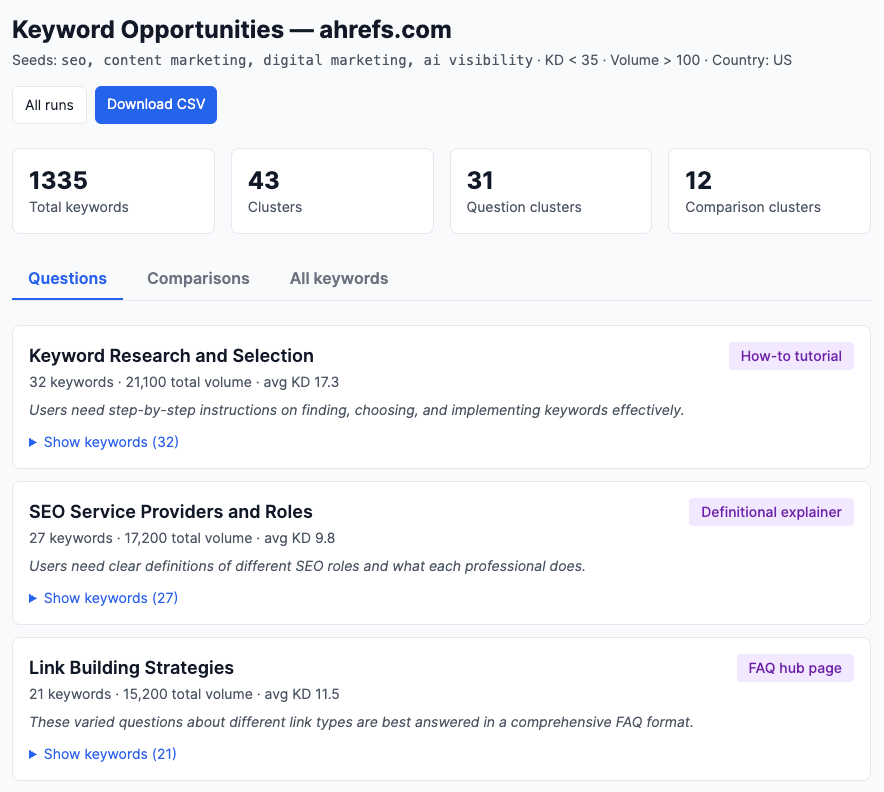
Queries in question format (“how to…”, “what is…”) and comparison format (“X vs Y”, “X alternative”) map to specific content types and often have lower competition. These are also the query formats most likely to trigger AI answers, and the content most likely to get cited in them.
My site is [mysite.com]. My topic area is [niche]. Find keyword opportunities in two formats:
- Questions: "how to", "what is", "why", "can I", etc.
- Comparisons: "vs", "alternative", "compared to", "instead of"
Filter to KD < 35 and volume > 100.
Group by topic. Suggest a content format for each cluster.
And here’s the result, made by AI from scratch in 3.5 minutes.
7. How to find international keyword opportunities
The AI can pull your keyword metrics broken down by country. You may have significant keyword visibility in a market where your traffic is low. That’s a localization opportunity. Or it can run keyword discovery for a new market you’re considering entering.
This one is a bit more complex, because there are multiple ways to look for these opportunities:
Do an international keyword analysis for [TARGET] vs [COMPETITORS].
1. Rank non-English countries by opportunity:
(competitor_traffic_sum − my_traffic) × competitor_presence.
Pick top [N].
2. Gap keywords per country: where ≥2 competitors rank top 20
and I don't rank top 50 (volume ≥ [MIN_VOL]).
3. For my top [TOP_PAGES] US pages' main keywords:
a. Check the English term in each target country
(volume + SERP via KE serp_overview).
b. Translate each keyword into the country's native language
via LLM, then check volume + SERP for the translation too.
Classify each (page, country) into:
- open: volume exists, nobody ranks top 20 (biggest prize)
- contested: competitors rank, I don't
- defending: I rank, competitors also rank
- owned: I rank solo
4. Roll up by language — weight both gap-keyword count
and open+contested translation opportunities.
Output: country ranking, gap keywords per country, English
and native-language opportunities per page, top 3 languages
to prioritize (explain whether the driver is gap keywords or
translation opportunities).
Use Keywords Explorer's serp_overview (not Site Explorer's) for international SERPs.
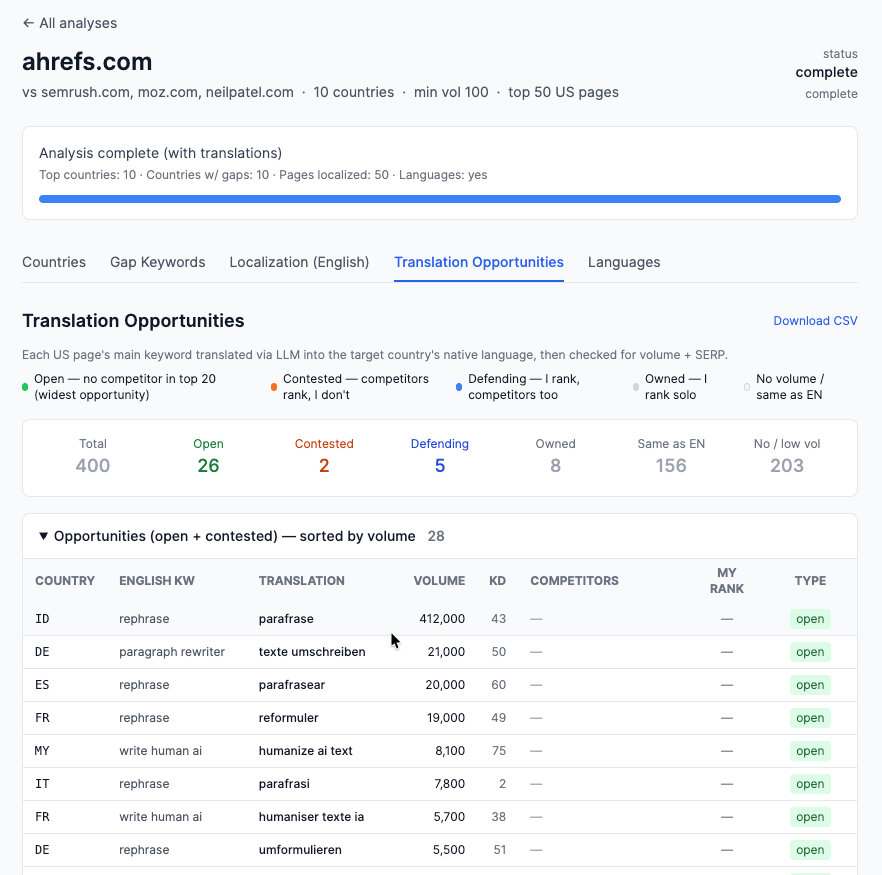
And for this prompt, Agent A built a report looking like this:
8. How to find trending keywords
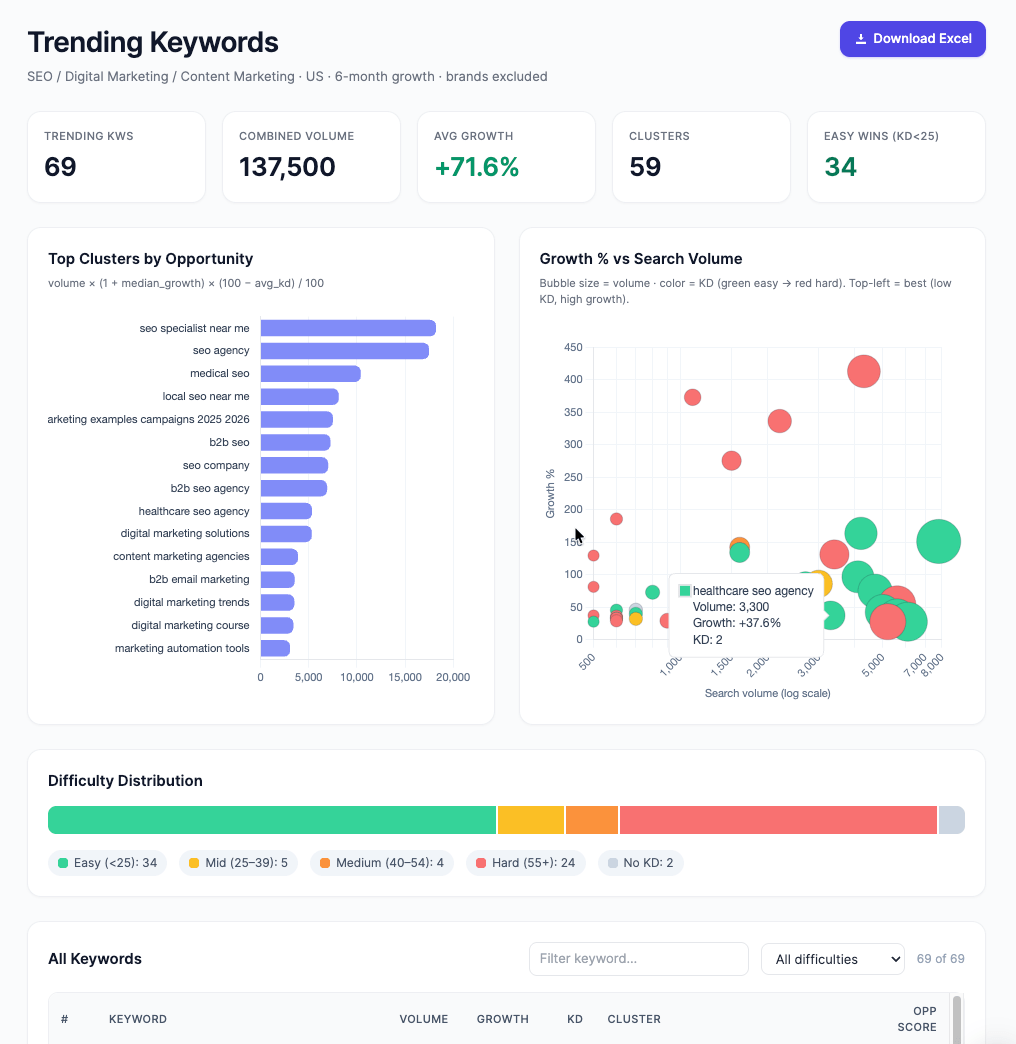
Trending keywords are those that gain search volume over time, typically within a few months. The AI can pull volume history for specific keywords to spot upward trends before they peak, especially ones that the model’s training data might not cover, since the keyword database updates continuously.
My topic area is [niche].
Find keywords in this space where search volume has grown consistently
over the past 6–12 months and hasn't peaked yet. For each: current
volume, volume 6 months ago, KD, and whether I currently rank for it.
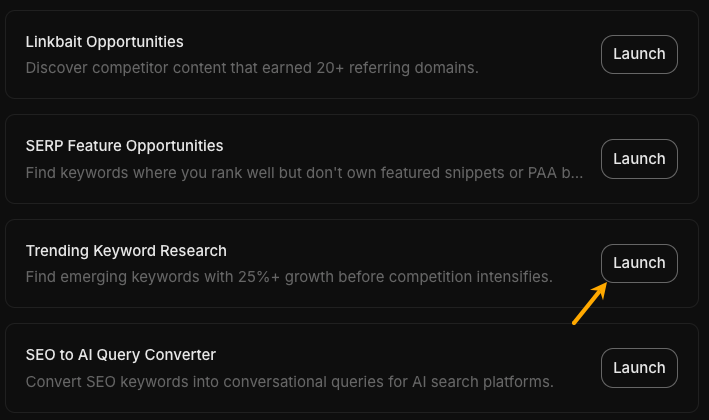
This is another preinstalled skill in Agent A if you want to try it out:
Result:
9. How to find buyer persona keywords
Not every valuable keyword has high search volume. Your ideal customer may search for niche, specific queries that keyword tools show as low- or “zero-volume”, but these are exactly the queries that AI chatbots surface answers for.
In this example, the AI brainstorms from a persona description, validates against the database, and flags keywords worth targeting even without traditional traffic potential.
My ideal customer is [describe: role, problems, goals, how they search].
Brainstorm 30 keywords this person would search for, including:
- Problem-awareness queries (they know they have a problem)
- Solution-comparison queries (they're evaluating options)
- Niche queries they might ask an AI chatbot rather than a search engine
Then check which have measurable search volume. Flag zero-volume ones
separately.
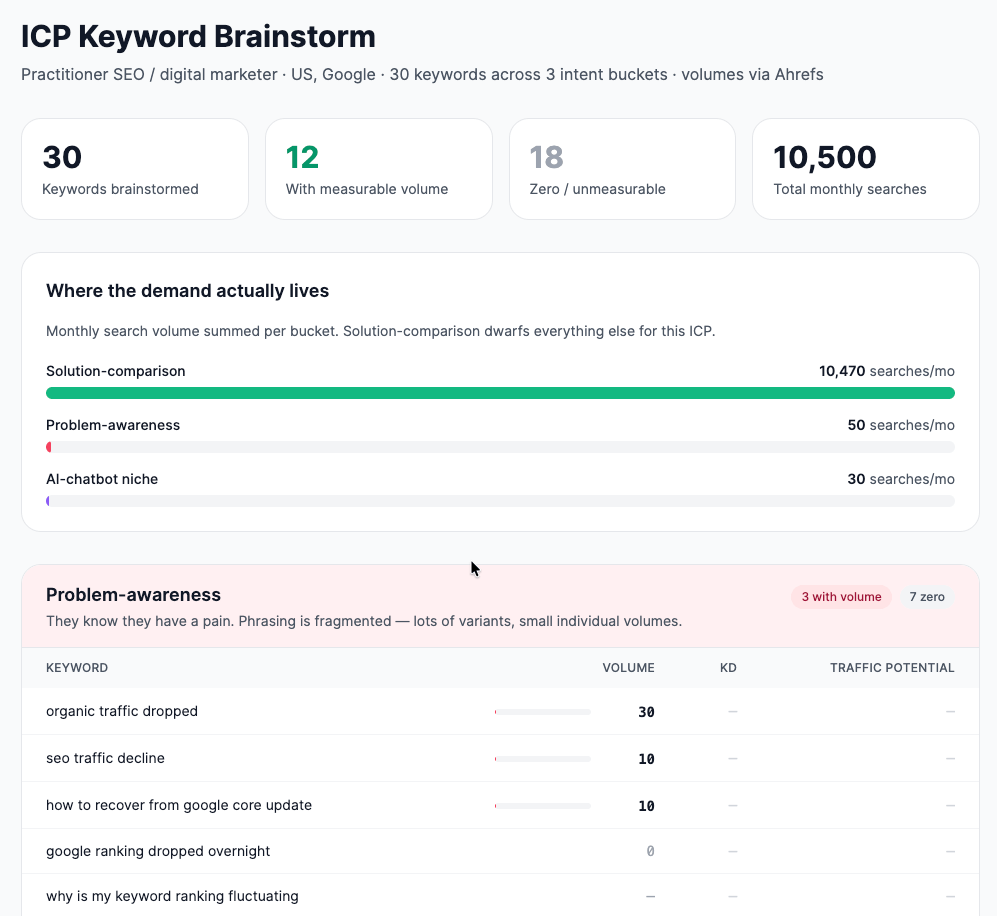
Agent A built the following artifact out of the prompt:
Similar Posts
How I Converted My HTML Site to WordPress (& Made It 10x Easier to Update)
If you’ve ever tried updating an old HTML website, you know how frustrating it can be….
Advanced DDoS Mitigation: Behavioral Analytics, Packet Inspection
Amid the relentless evolution of cyber threats, organizations are facing unprecedented challenges in keeping their digital…
The Hidden Price of Public Cloud Downtime: Every Minute Matters
Millions of businesses worldwide rely on hyperscale cloud platforms to maintain the smooth operation of their…
WebSocket Hosting Requirements for Real Time Applications
WebSocket applications keep a connection open so the server and client can exchange data in both…
What Is an MCP Server, and Why Should Marketers Care?
MCP (Model Context Protocol) connects your AI tools directly to your marketing stack—your CMS, analytics, CRM,…
Ledger Recovery Key Review: No More Seed Phrase?!
🚨Get $10 in FREE Bitcoin when you buy a Ledger Wallet using my link: https://shop.ledger.com/?r=f3f59e340ecb Get…