When a streaming platform starts dealing with buffering complaints, unstable playback during peak hours, or inconsistent performance across regions, the problem is usually not the content library itself. It is the infrastructure underneath it. Media delivery puts constant pressure on bandwidth, storage, routing, and server resources, and once audience expectations rise, generic hosting environments often stop being enough. For platforms delivering live streams, video on demand, webinars, online classes, or premium content libraries, the quality of the hosting layer directly affects retention, trust, and revenue.
A media platform does not just need a server that stays online. It needs an environment that can process, store, and deliver large media files efficiently, support concurrent viewers, maintain stable performance during usage spikes, and keep latency under control. That is why dedicated infrastructure continues to be a practical choice for serious streaming operations.
What dedicated servers solve for streaming platforms
Streaming workloads are very different from standard website workloads. A content platform may need to handle long viewing sessions, high outbound traffic, real-time ingest, adaptive bitrate delivery, and large-scale file access all at once. In shared environments, those demands can collide with the activity of other tenants, which creates unpredictability at exactly the wrong time.
A dedicated server removes that resource contention. CPU, RAM, storage, and network capacity are reserved for one platform alone. That gives the streaming service a more stable operating environment and reduces the risk of slowdowns caused by neighboring workloads.
This also makes infrastructure planning more precise. A platform can be configured for its actual use case, whether that means live streaming, VOD delivery, private video hosting, training portals, or event broadcasting.
Tip: Stable playback usually depends more on consistent resource access than on raw specs alone.
High bandwidth, low latency, and route quality are essential
Media traffic is heavy by nature. HD and 4K delivery, large viewer counts, and live event spikes can consume substantial outbound bandwidth in a short period. If the network layer is weak, playback quality suffers no matter how good the hardware looks on paper.
Dedicated servers are well suited here because they offer predictable throughput and stronger network control. That helps platforms maintain smoother delivery during peak traffic periods and reduce buffering caused by bandwidth congestion. They also support lower latency by providing direct access to network resources and avoiding the variability that often appears in shared environments.
Routing quality matters just as much. If traffic is crossing inefficient paths, viewers may still experience lag or unstable performance. For regional or cross-border audiences, network design, carrier mix, and data center location all shape the user experience. Server location also matters because infrastructure placed closer to the audience can reduce round-trip delay and improve responsiveness, especially for live use cases.
Dataplugs supports this type of media deployment with dedicated server infrastructure in Hong Kong, Tokyo, and Los Angeles, which can be useful for platforms serving Asia and wider international audiences.
Tip: Check network routes and bandwidth quality before comparing CPU and RAM.
Performance consistency and storage speed affect delivery quality
Many hosting setups perform acceptably under light traffic. The difference appears when concurrency rises. A streaming platform may be handling file delivery, playback requests, packaging, authentication, and transcoding at the same time. Under that kind of pressure, shared resources can quickly become a bottleneck.
Dedicated servers help by giving the platform a more predictable resource baseline. That consistency is often more valuable than occasional peak performance because streaming users notice interruptions immediately. This is one reason dedicated infrastructure is often chosen over VPS or cloud environments for sustained media delivery.
Storage performance is part of this too. If read speeds are too slow, file access can become a hidden source of delay. Dedicated servers can be configured with SSD or NVMe storage to improve access speed for active content. This helps with faster delivery, quicker loading, and smoother handling of concurrent requests. It is also useful for workflows involving uploads, content packaging, and media processing.
Dataplugs offers dedicated server options with all-flash NVMe storage, which can be relevant for platforms that need faster content access and responsive media delivery.
Customization and security support long-term streaming operations
Streaming platforms often rely on specific protocols, software stacks, and processing workflows. Some need HLS delivery, some need RTMP ingest, and others require custom encoding pipelines, media engines, or security controls. Generic hosting environments often limit that flexibility.
A dedicated server gives the platform more control over system configuration, software deployment, and networking behavior. That means teams can build around the actual needs of the platform instead of working around hosting restrictions. This is particularly useful for services that need custom authentication, private delivery, adaptive bitrate workflows, or integration with CDN and media processing tools.
Security is just as important. A DDoS attack, unauthorized stream access, or weak origin protection can disrupt playback and damage trust. Premium content, subscription libraries, and internal video platforms need stronger access control and better traffic protection. Dedicated servers make this easier because the platform has more direct control over firewall settings, encryption, authentication rules, and access restrictions.
Provider support matters too. Anti-DDoS protection, firewall services, WAF coverage, and responsive support all contribute to maintaining uptime during attacks or unusual traffic events. Dataplugs offers supporting services in these areas for businesses that need dependable media delivery.
Tip: A flexible server setup is only valuable if it also protects uptime and content access.
Dedicated servers and CDNs work together
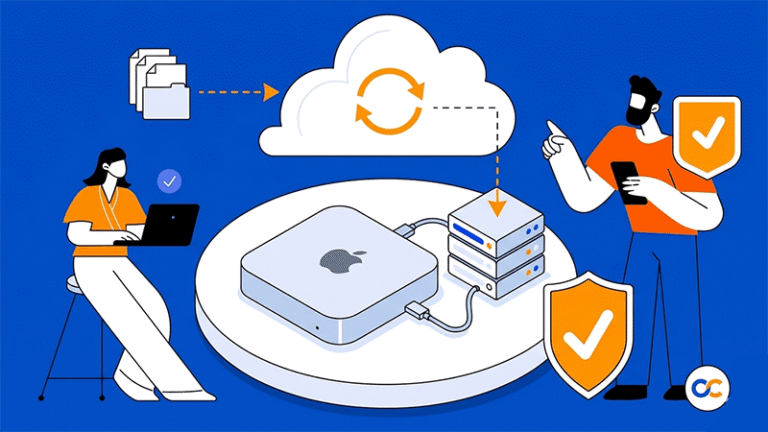
A dedicated server and a CDN are not competing solutions. A dedicated server usually acts as the origin, where the media application runs and content is managed. A CDN helps distribute that content closer to viewers through edge locations.
For smaller platforms, the origin server may handle most delivery at first. As traffic grows, CDN integration becomes more useful for reducing latency, easing origin load, and improving playback consistency across regions. The strongest setup for many media services is not one or the other, but both working together.
Cost predictability can favor dedicated infrastructure
Cloud infrastructure is useful for flexibility, but media delivery often brings high outbound traffic and steady usage patterns that make costs harder to control over time. Egress-heavy workloads can become expensive quickly.
Dedicated servers often offer a more predictable cost model for streaming platforms with regular high bandwidth needs. For businesses with sustained traffic and growing media libraries, that can make dedicated hosting a more practical long-term fit.
Conclusion
Dedicated servers are a strong fit for media streaming platforms because they provide exclusive hardware resources, predictable bandwidth, stronger customization, better control over latency, and more reliable uptime under pressure. For live streams, video-on-demand libraries, online learning, webinars, and premium media services, that level of infrastructure control can make the difference between acceptable delivery and a genuinely smooth viewing experience.
For businesses reviewing dedicated hosting for streaming workloads, Dataplugs is worth considering for its regional network strength, dedicated server options, and supporting infrastructure services. You can contact the team via live chat or email at sales@dataplugs.com.