Optimizing for AI search means improving your pages so they’re more likely to be cited by AI assistants when people ask relevant questions.
It might sound like a completely new discipline. For the most part, it isn’t.
Google says its AI search features still rely on its core search systems. Your content still needs to be crawlable, indexable, and useful.

Microsoft says that Bing’s index is evolving from a list of pages into a source of facts that AI systems can use to build answers.

Put those two ideas together, and the real change becomes clearer: AI search still depends on traditional search, but ranking is no longer the whole job. Your content also needs to provide facts that AI systems can understand, trust, and cite.
To optimize a page for AI search, make sure AI systems can access it, answer a relevant question with information worth retrieving, state important facts clearly, keep those facts current, and monitor citations.
An AI agent can help check access, review passages, spot inconsistencies, and analyze citation data; you still decide what to publish.
This article explains the thinking behind AI search optimization so you understand what to do and why. It also covers what you should check manually, when a manual review is worth the effort, and provides prompts you can give an AI agent when the work can be handled reliably.
The AI skills and prompts can be used in agentic environments such as Letaido, Claude Code, ChatGPT Agents, and Codex.
1. Make sure your pages can be accessed by AI bots
Nothing else in this guide matters if AI systems can’t reach your pages.
Before they can cite your content, they need to be able to access and read it. There are a few places where you check for technical issues manually, and if you prefer your agent to take care of this, I’ve prepared an AI prompt at the bottom of this section.
Check crawlability and common AI crawl errors
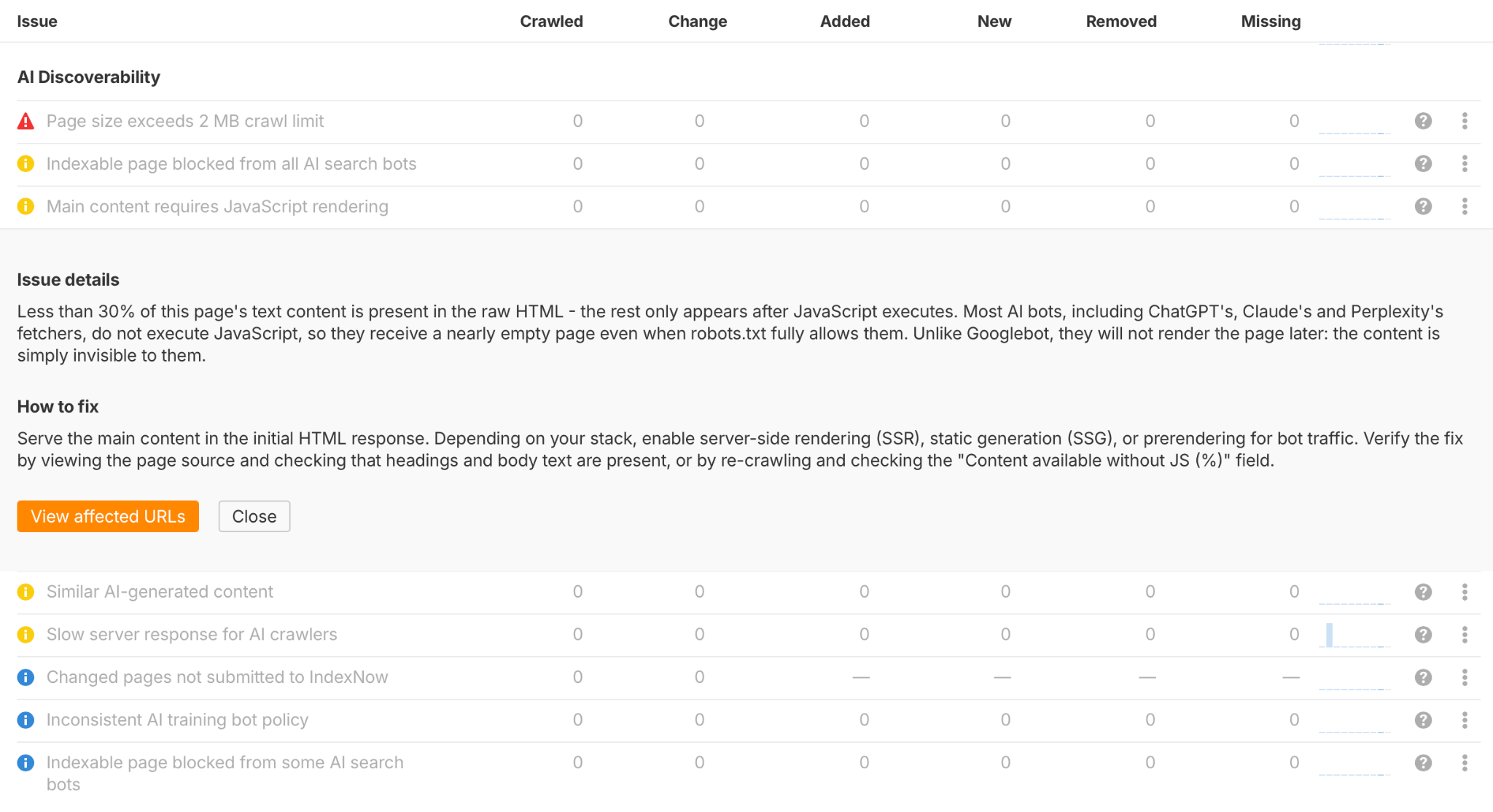
First, go to Site Audit → All issues and scroll to the AI discoverability section. You’ll see any AI-specific issues affecting your pages, along with recommendations for how to fix them.
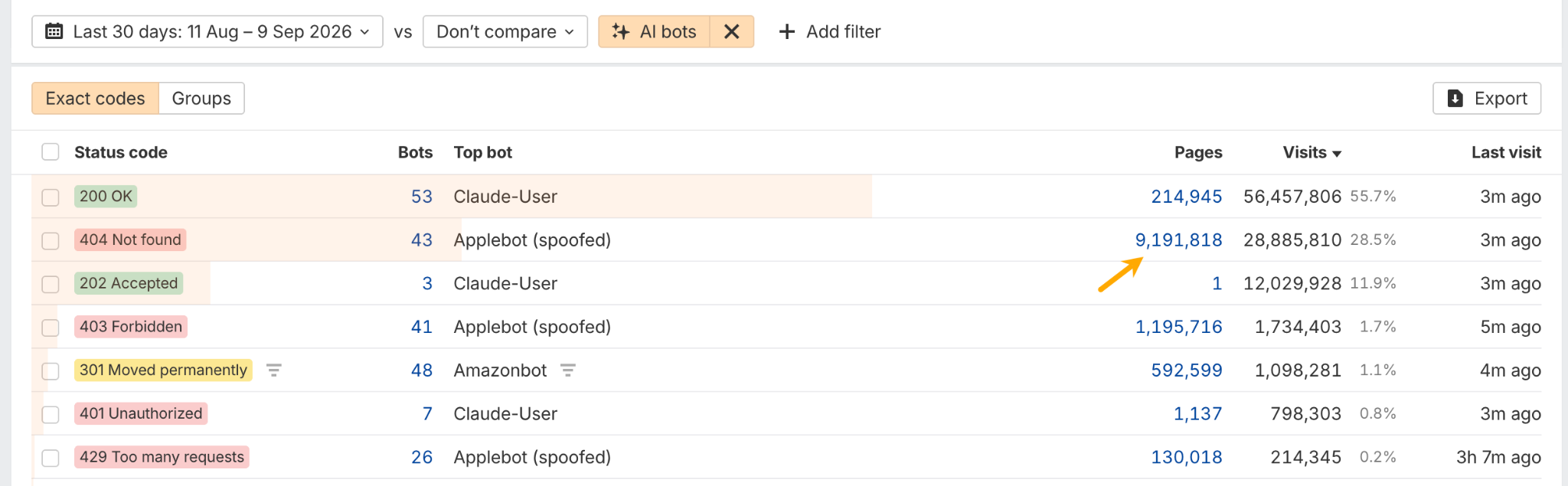
In Bot Analytics, investigate unsuccessful AI bot requests, especially 404, 499, and 5xx status codes. The status code helps you distinguish missing URLs from interrupted requests and server errors before choosing a fix.
Open the Status codes report and click the number of affected pages to see which pages to fix.
Then, in Web Analytics, check which 404 pages are getting traffic from people AI search. If the same broken URL keeps getting visits, redirect it to the most relevant live page.
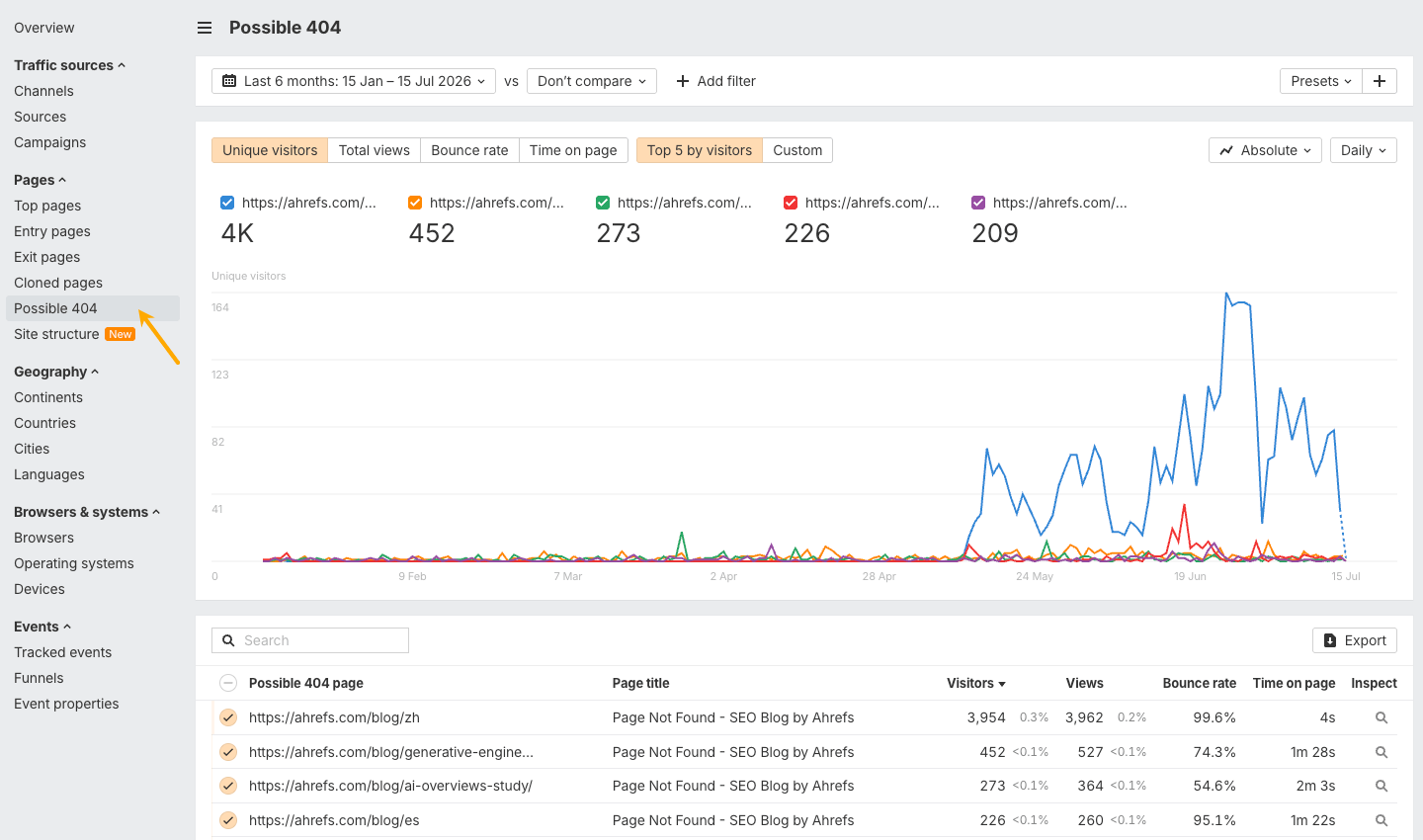
A recurring 404 can also reveal a content opportunity. If AI keeps sending users to a page about a topic you don’t cover, consider whether that page should actually exist.
Check your server settings
Some access problems can’t be found with a typical site crawl. You’ll also need to check your server, firewall, or CDN (if you use one)
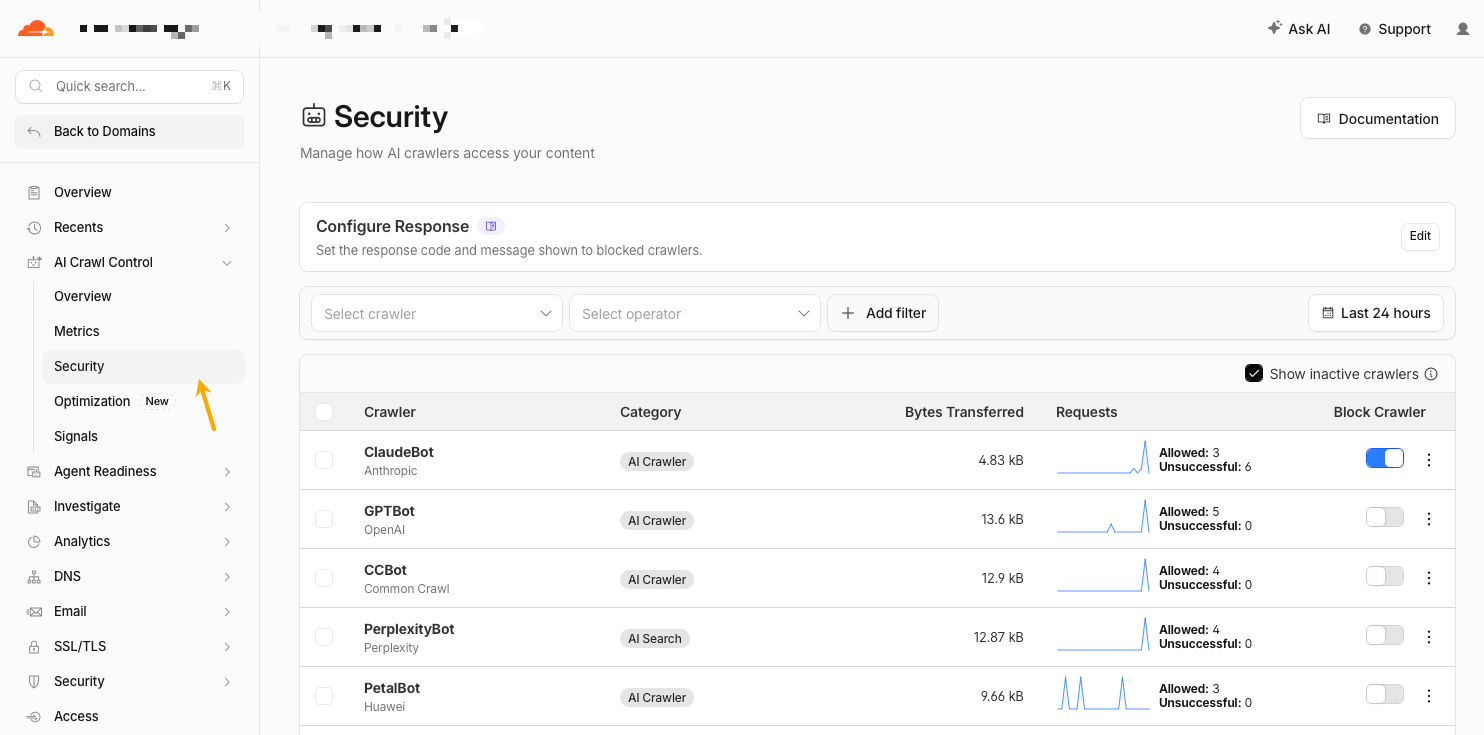
To check whether any AI crawlers are currently blocked, go to AI Crawl Control → Security.
How an AI agent can help audit crawler access
You can also use an AI agent to run these checks for you instead of clicking through different tools.
With the right access, an AI agent can check robots.txt, noindex rules, status codes, redirects, visible content, links, WAF rules, crawler visits, blocked bot requests, and even pages behind a login. It can then suggest fixes or, where appropriate, make them for you.
For example, if you use Ahrefs (Lite or higher for API access) and Cloudflare (the free tier works), you can run the whole check with a single prompt using this AI crawler access audit prompt. Just show the above link to your AI agent.
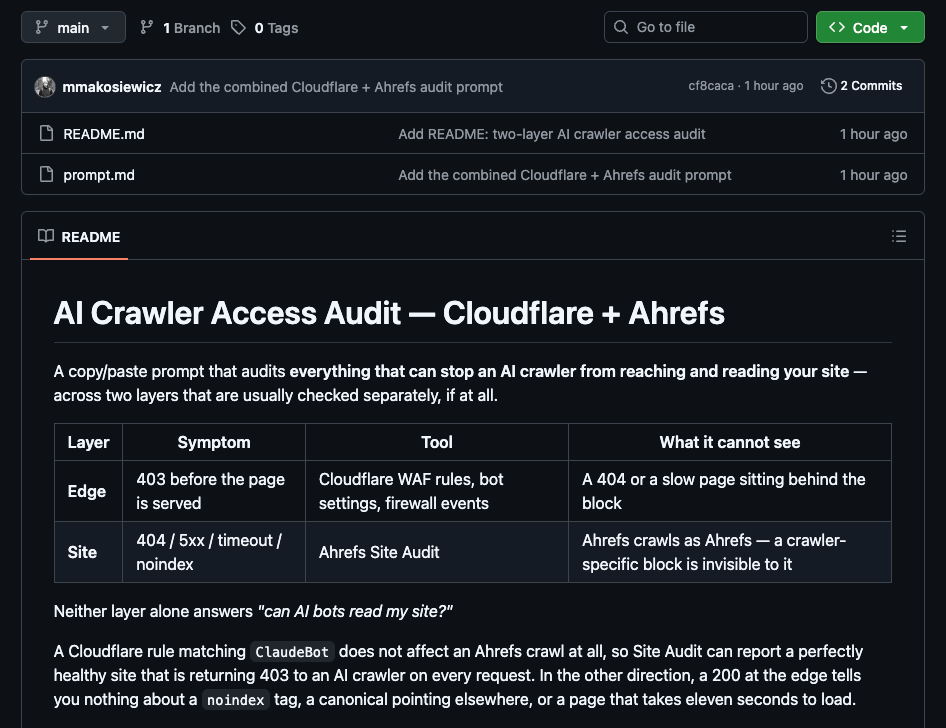
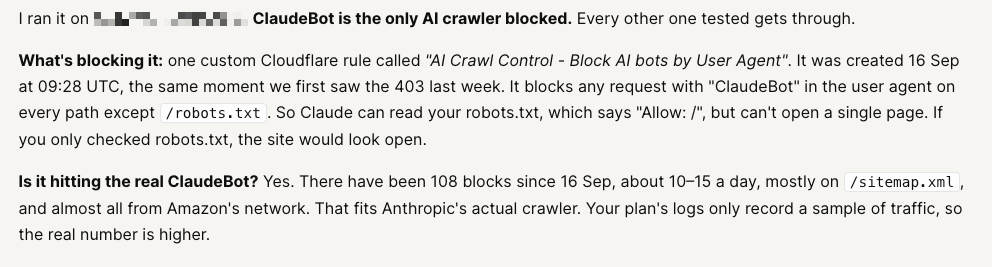
Here’s an example report finding (ran in Letaido):
2. Create content that matches AI search queries and is worth retrieving
The page you want to optimize should clearly match what the user is asking for. That should be obvious from the title, meta description, headings, and the content on the page itself.
For example, if you want to influence AI answers for a prompt like “AI visibility tools for startups,” you’re better off creating a dedicated piece of content about that exact topic. You could bury the answer somewhere on a broader page about AI visibility, and an AI system might still find it—but it’s much less likely from my experience.
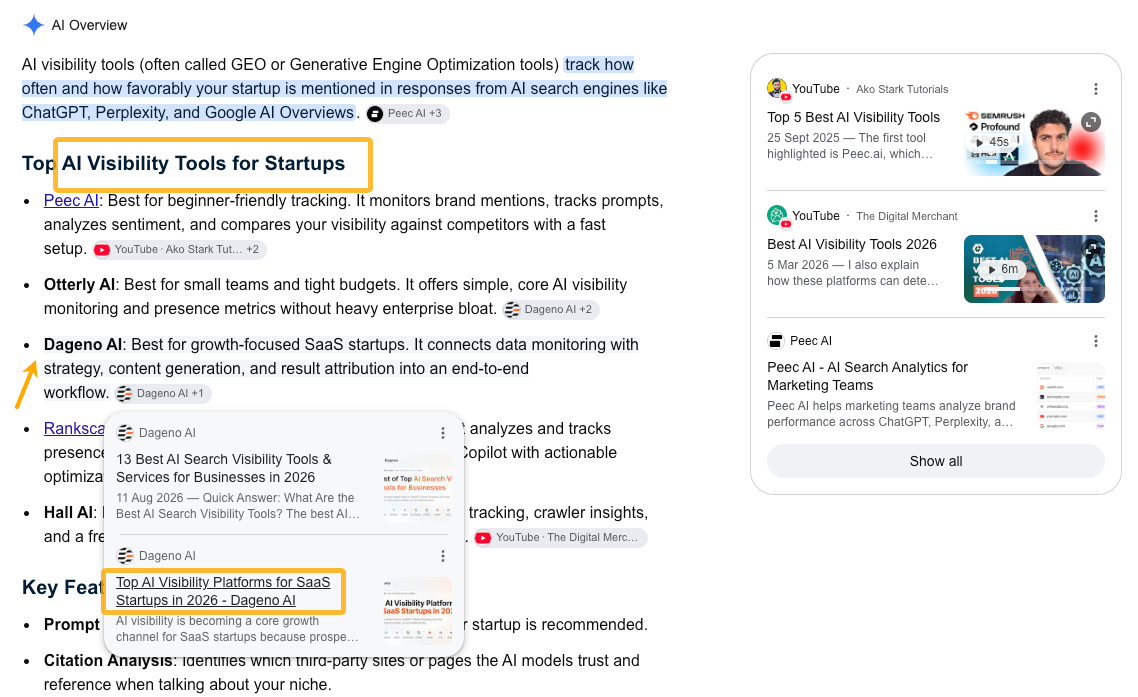
Highly relevant content can also help get your brand facts into conversations about your brand. I’ve found it relatively easy to get included in branded conversations by creating pages specifically for those queries—relevance was the key.
One example is creating dedicated pages that compare your product with a competitor.
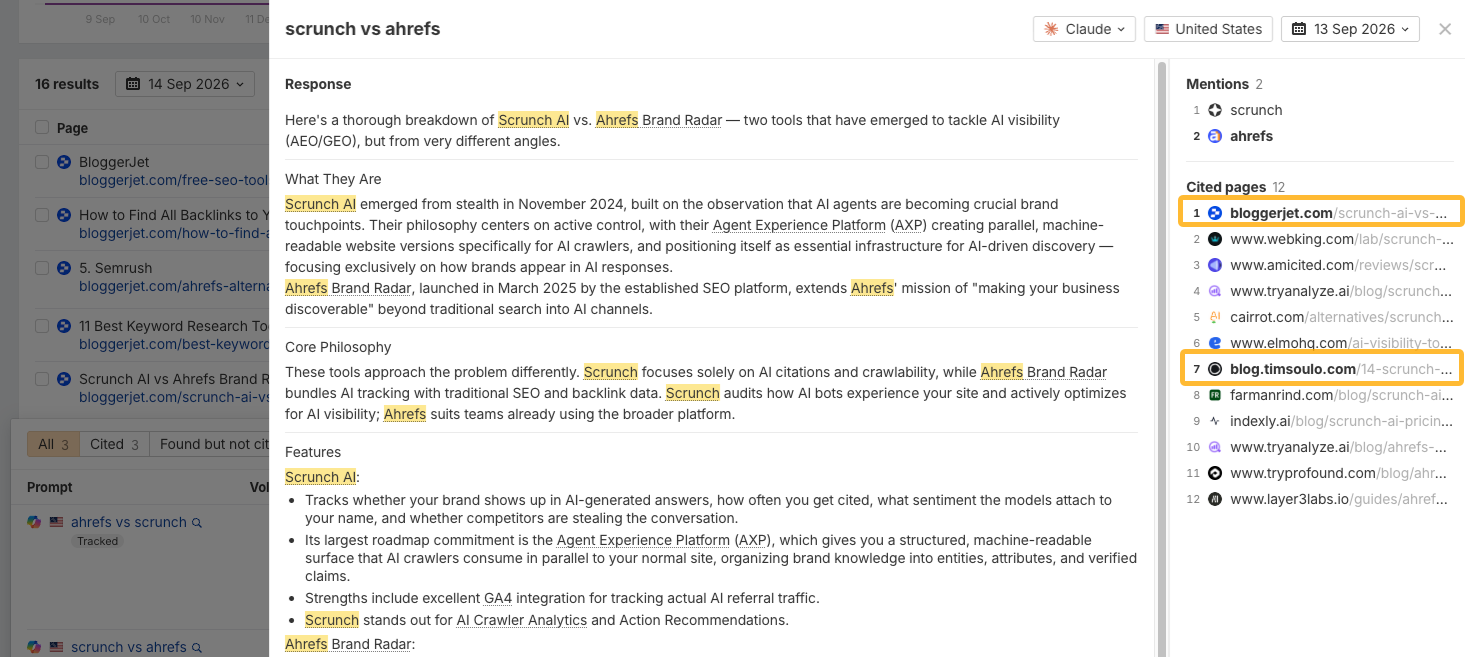
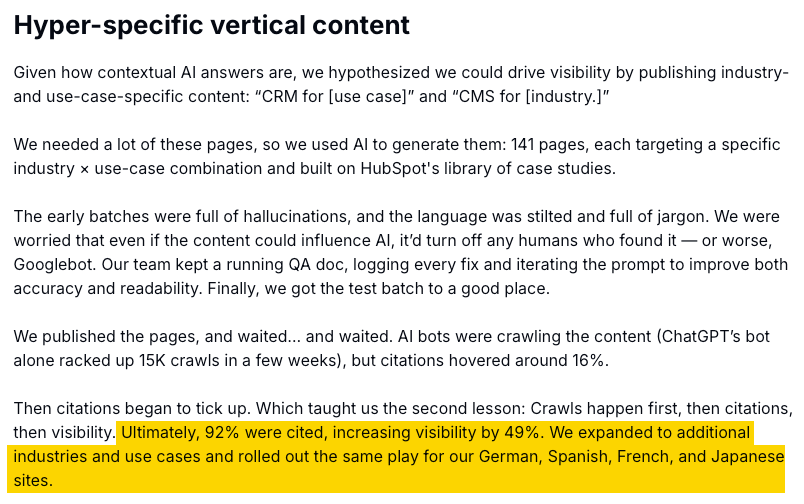
Dedicated pages can also answer prompts about a specific use case for your product. In a recent case study, HubSpot reported good results from creating pages that closely matched specific prompts. This helped the company increase its AI visibility and expand its presence across additional industries and local markets.
Once you have that basic match between the query and the page, the next question is: does the page offer something worth retrieving?
Generic summaries are easy to replace. If dozens of pages say essentially the same thing, there’s little reason for an AI system to rely on yours.
What tends to stand out is information that’s harder to reproduce: original examples, survey data, benchmarks, workflows, customer insights, and expert judgment.
How an AI agent can help improve content relevance
A content-quality skill can help your agent check how well a page matches the queries you want to target and identify areas where the content feels generic, thin, or poorly supported.
It can flag weak titles and meta descriptions, vague claims, missing evidence, weak examples, thin sections, and gaps in topic coverage.
And if you give it access to product documentation, customer research, support conversations, or other internal knowledge, it can also spot opportunities to add something genuinely useful and distinctive.
What it can’t do is invent real expertise, original data, customer insights, or facts about your product. Those inputs still need to come from your team.
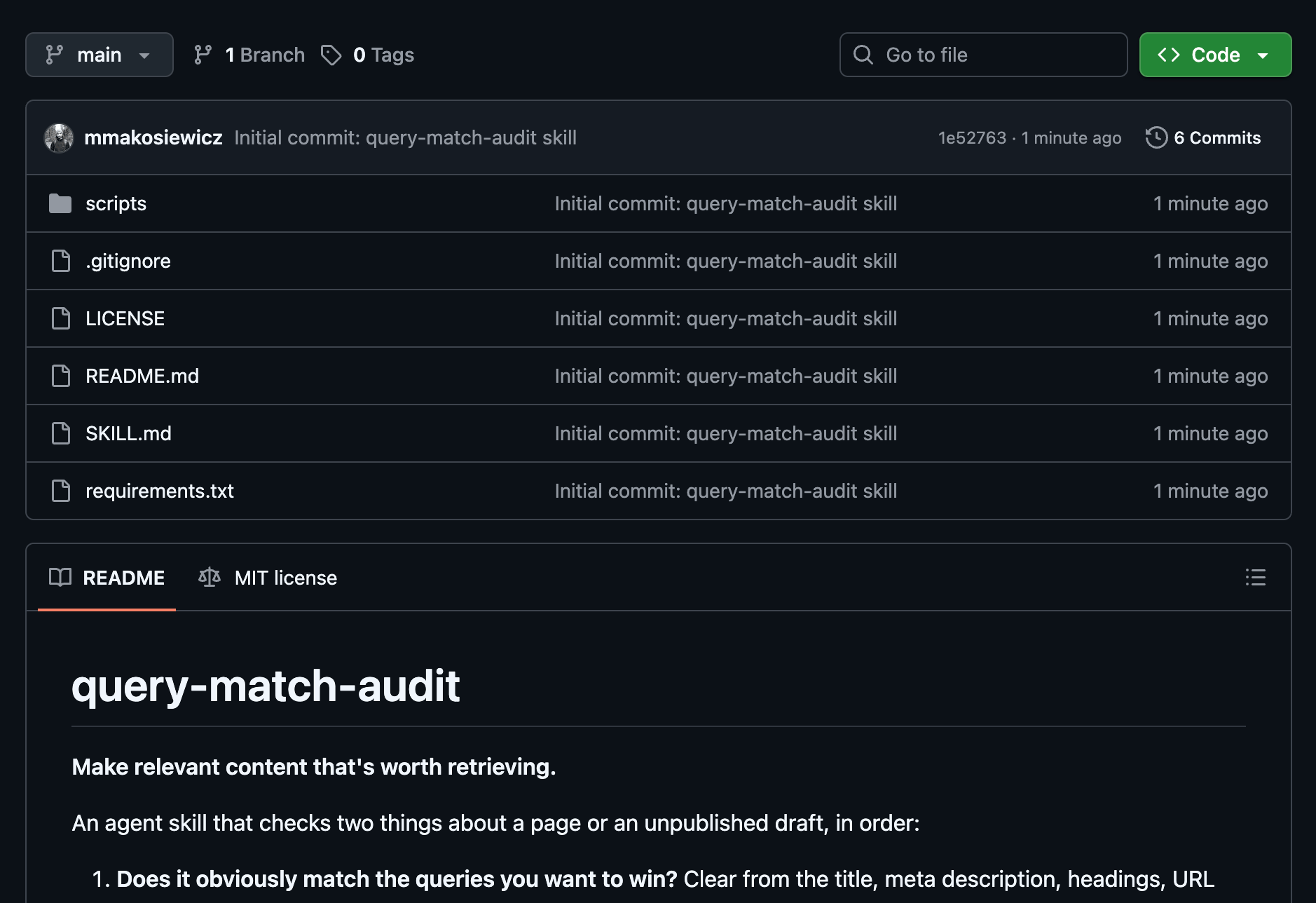
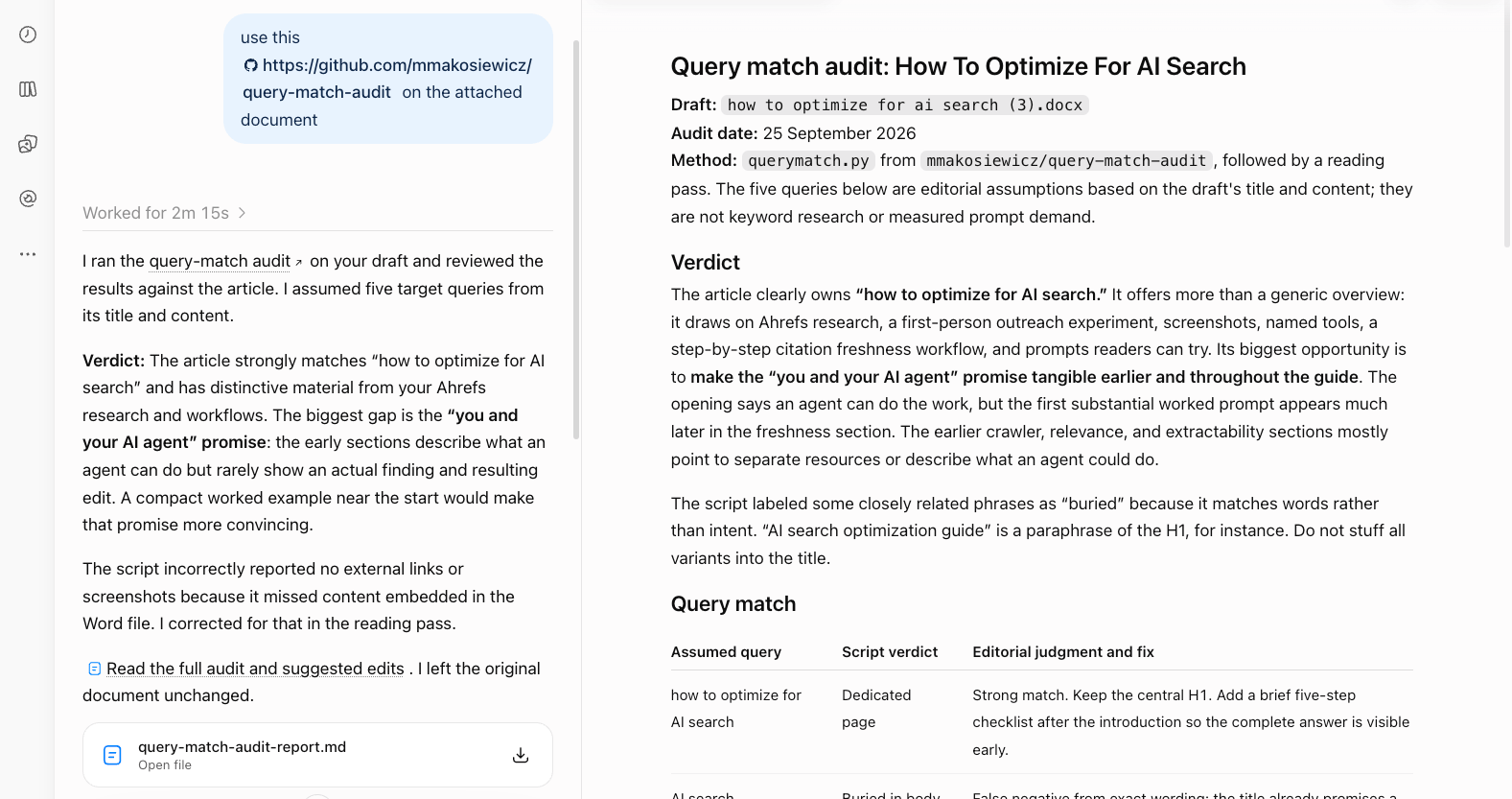
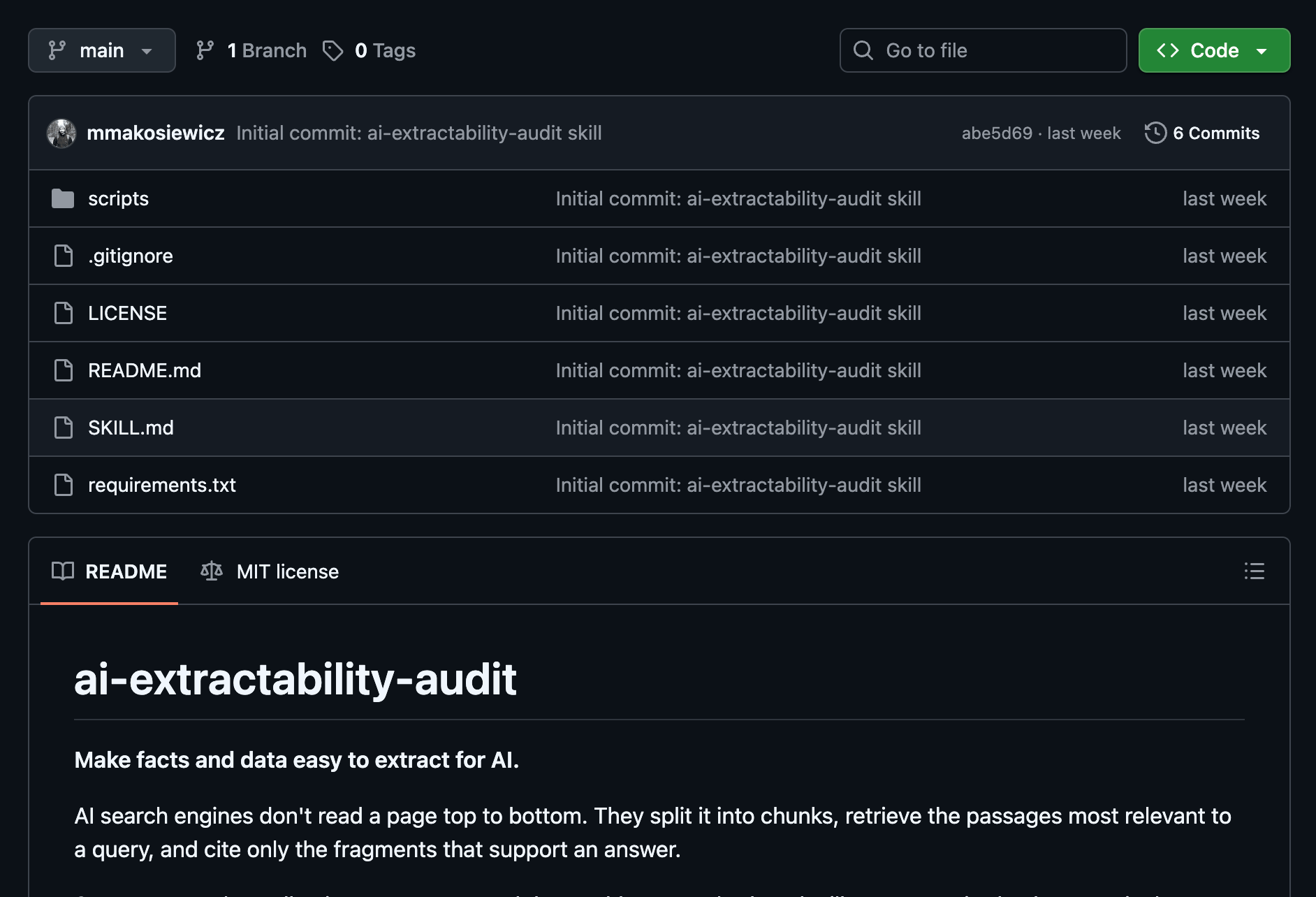
Give the query-match audit your draft and 3–10 target prompts; it shows which prompts the title, headings, and body clearly address, then flags thin or generic passages for review. I’ve prepared a skill for this, show this to your agent: https://github.com/mmakosiewicz/query-match-audit
As a result, you’ll get a report looking something like this.
3. Make facts and data easy to extract for AI
AI systems don’t always process a page from top to bottom. AI search engines can split pages into smaller chunks (see chunking in SEO), retrieve the sections most relevant to a query, and cite only the passages that support an answer.
This means your most important facts should be easy to find and make sense even when they’re pulled out of context. This is sometimes called atomic content: breaking content into self-contained sections that each communicate one complete idea.
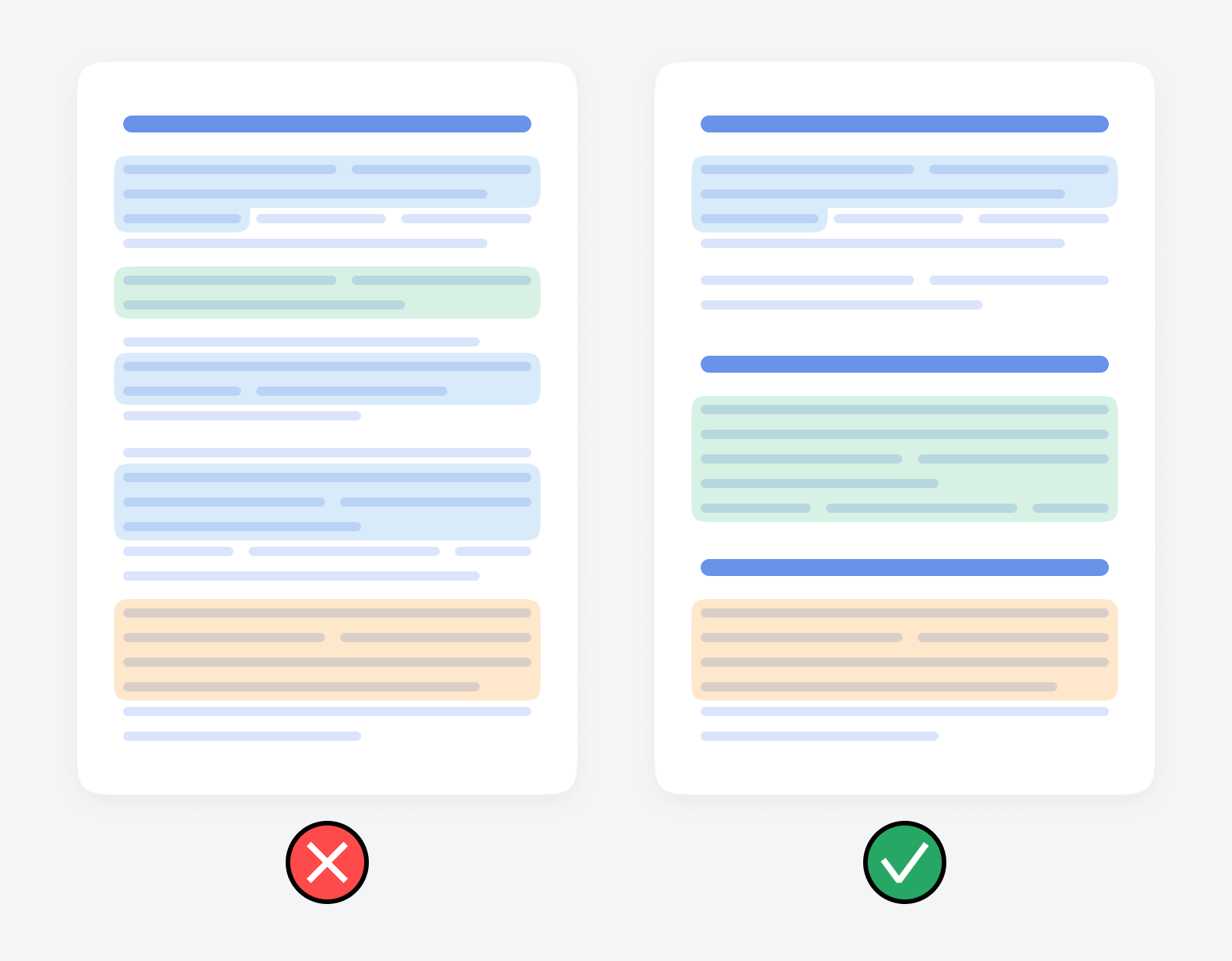
A simple way to visualize this is to compare the two examples below.
In the scattered example, the answer is spread across several paragraphs, so a short excerpt loses the context needed to understand it.
In the self-contained example, each section introduces and completes one point, so the excerpt still makes sense on its own.
So, how do you write this way?
Start by putting the main answer up front. This principle is called BLUF—Bottom Line Up Front—which means stating your conclusion, recommendation, or key finding in the first one or two sentences of any section, then supporting it.
On top of that, use clear headings, and turn important information buried in paragraphs into direct, standalone statements. There’s some evidence that placement matters: in Kevin Indig’s research, 44.2% of AI citations came from the first 30% of a page.
Next, be specific. Include relevant names, dates, numbers, products, countries, sources, and methods instead of relying on vague descriptions. The same research found that cited passages contained more named entities than typical prose and were more likely to use definitive language rather than hedging.
Hypothetical example:
- Vague: Our tool helps businesses improve their visibility across popular AI platforms.
- Specific: Our tool tracks how often your brand appears in ChatGPT, Perplexity, and Google AI Overviews, with results updated every week.
Structure matters, too. Tables, definitions, examples, summaries, and FAQs can make complex information easier to find and understand while giving AI systems more self-contained passages to work with.
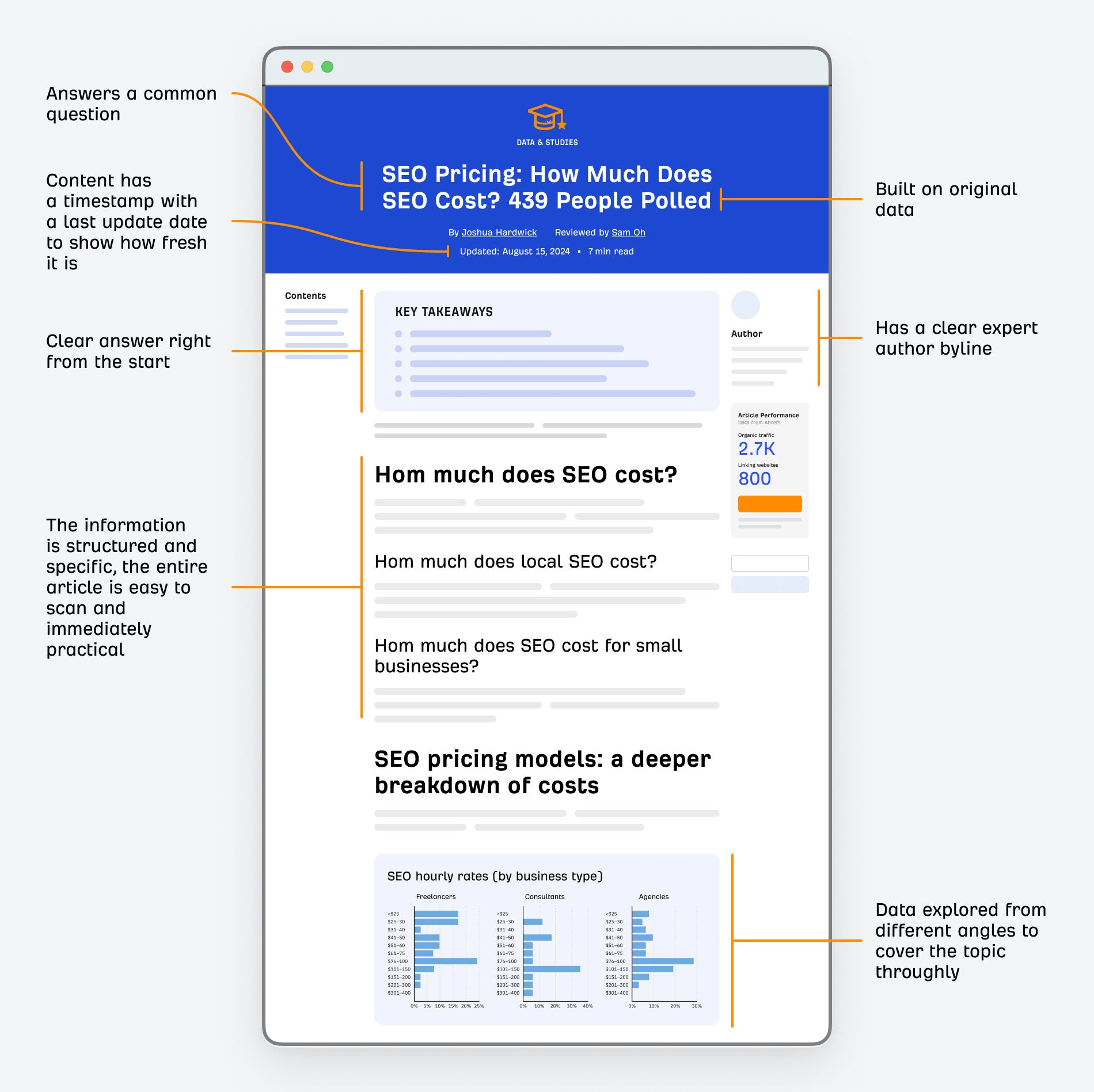
We published it in 2024 with human readers in mind, without specifically trying to optimize it for AEO. Yet it remains one of the most frequently cited pages on the topic, even though other publishers have since updated their research for 2026.
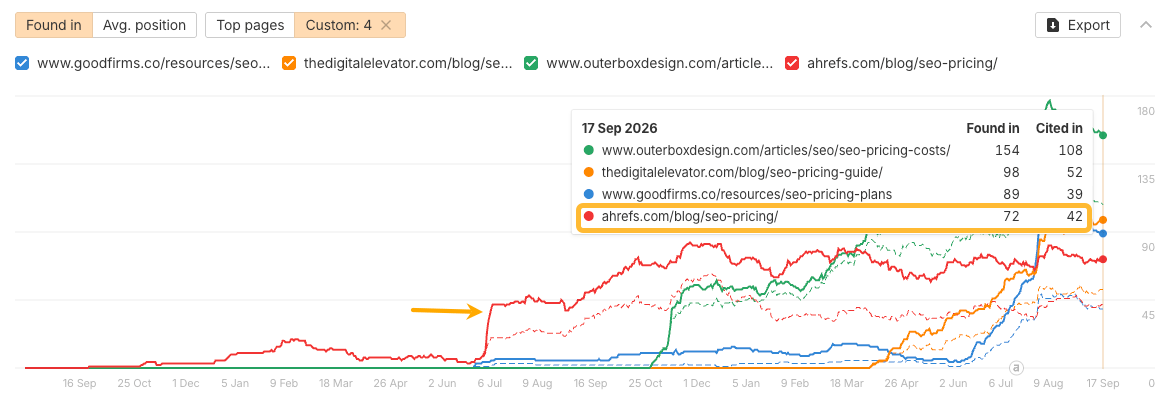
Here’s why I think it has performed so well: it gives clear answers, breaks the findings into self-contained sections, and explains the data from different angles. That last part gives the page a chance to answer different variations of the same question.
There’s one more part of this to consider: what AI systems can actually see on the page.
In an Ahrefs test, five major AI systems ignored JSON-LD, hidden Microdata, and hidden RDFa, relying instead on visible HTML (see our guide to schema markup if these sound new to you). So if important information, such as pricing or product features, exists only in structured data or is embedded in an image, make sure it also appears as text on the page.
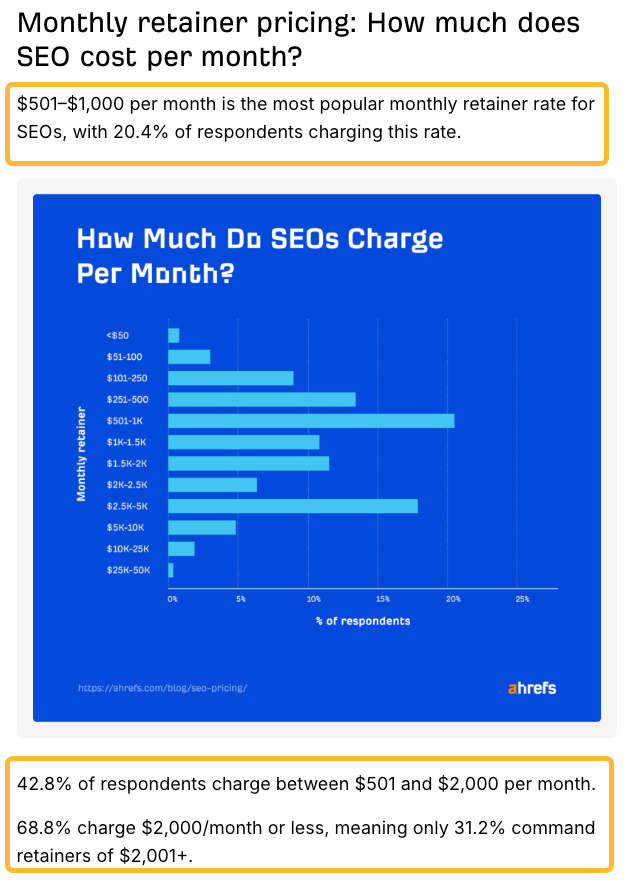
In our 2024 survey on the cost of SEO, the key insights shown in graphics were also stated in the article text, so readers and AI systems did not have to extract them from images.
None of this means you need to write robotic, “LLM-friendly” copy. It’s mostly good editorial hygiene: make the answer easy to find, keep claims precise, put important information in visible text, and make sure key passages still make sense when read on their own.
How an AI agent can help make facts easier to extract
Give your agent a target question and your verified facts. Ask it to identify passages that need surrounding context, quote each passage, and suggest a self-contained replacement without adding new facts.
It can also flag buried answers, vague claims, weak headings, and passages that could mislead when quoted without the surrounding context.
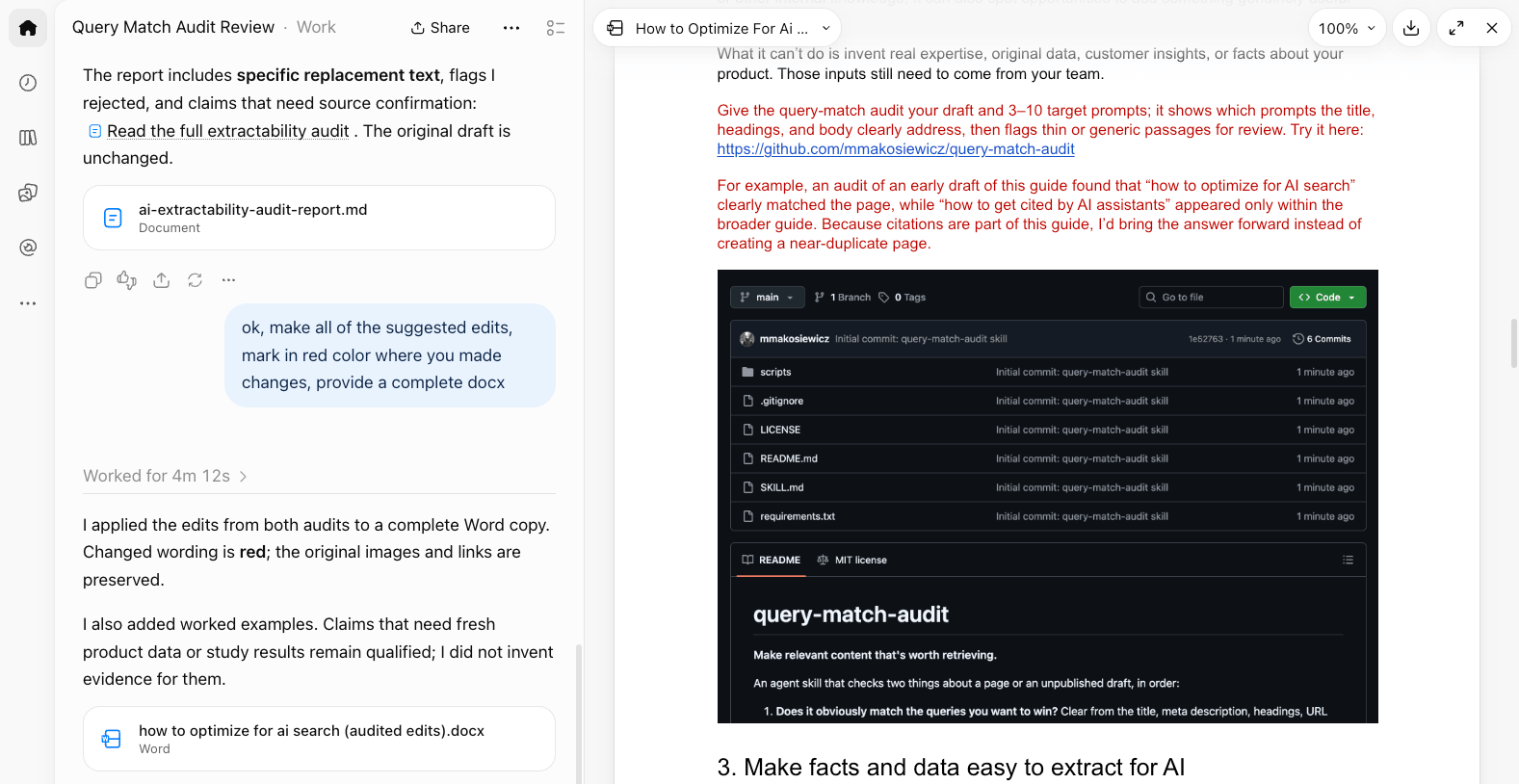
You can also run the this skill and the previous skill (query match audit) and ask the agent to apply suggestions in your document.
Further reading
4. Keep facts fresh and consistent
Stale or contradictory facts can easily turn into wrong AI answers. This is especially important for information that changes regularly: pricing, product limits, features, setup instructions, integrations, comparison claims, etc.
We recently ran an AEO outreach experiment, asking to fix pages with outdated and inaccurate information about Ahrefs. To our surprise, we found a couple of wrong pages on our site, too.

That’s why freshness is about more than adding a “last updated” date to a page. You need to keep important facts, especially the ones about your product or service, current and consistent, everywhere they appear.
Our research also suggests that AI assistants frequently cite fresh or at least recently updated content.
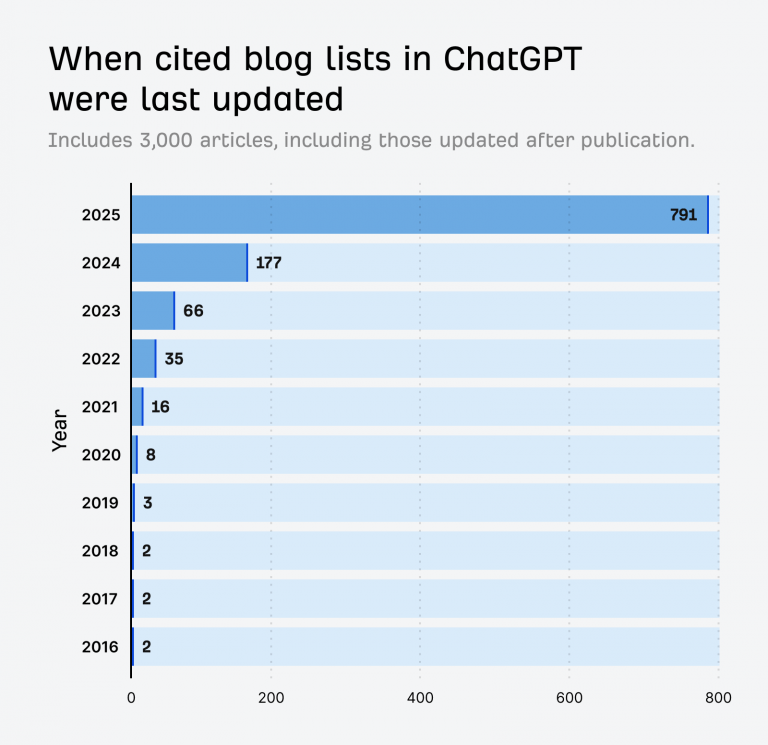
In research into “best X” lists, we found that 57.1% of the list articles cited by ChatGPT had been updated since they were originally published, while 79.1% were last updated in the same year of the study (2025).
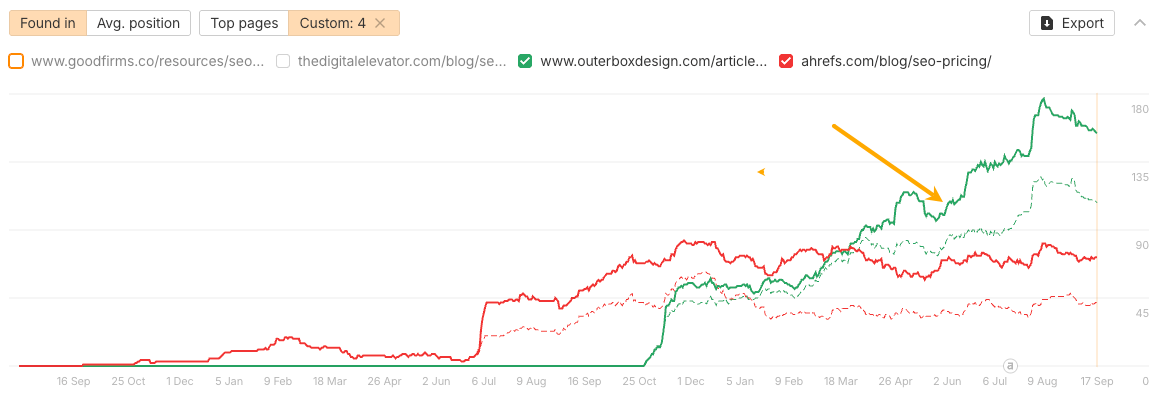
Content going stale is exactly what eventually happened with our SEO pricing research. In May 2026, another publisher released an updated version of their study using fresh 2026 data.
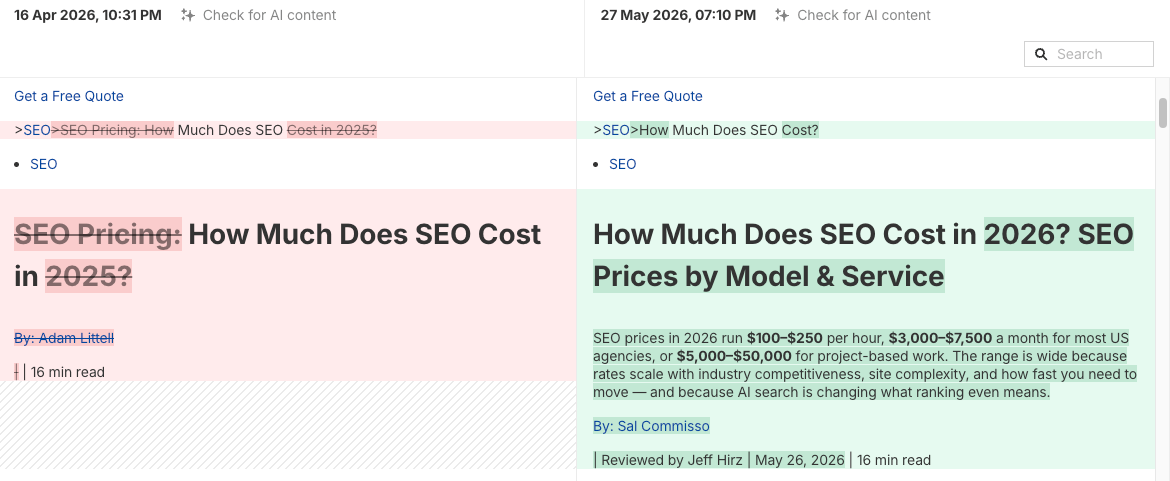
Soon after, they outperformed our post in AI citations.
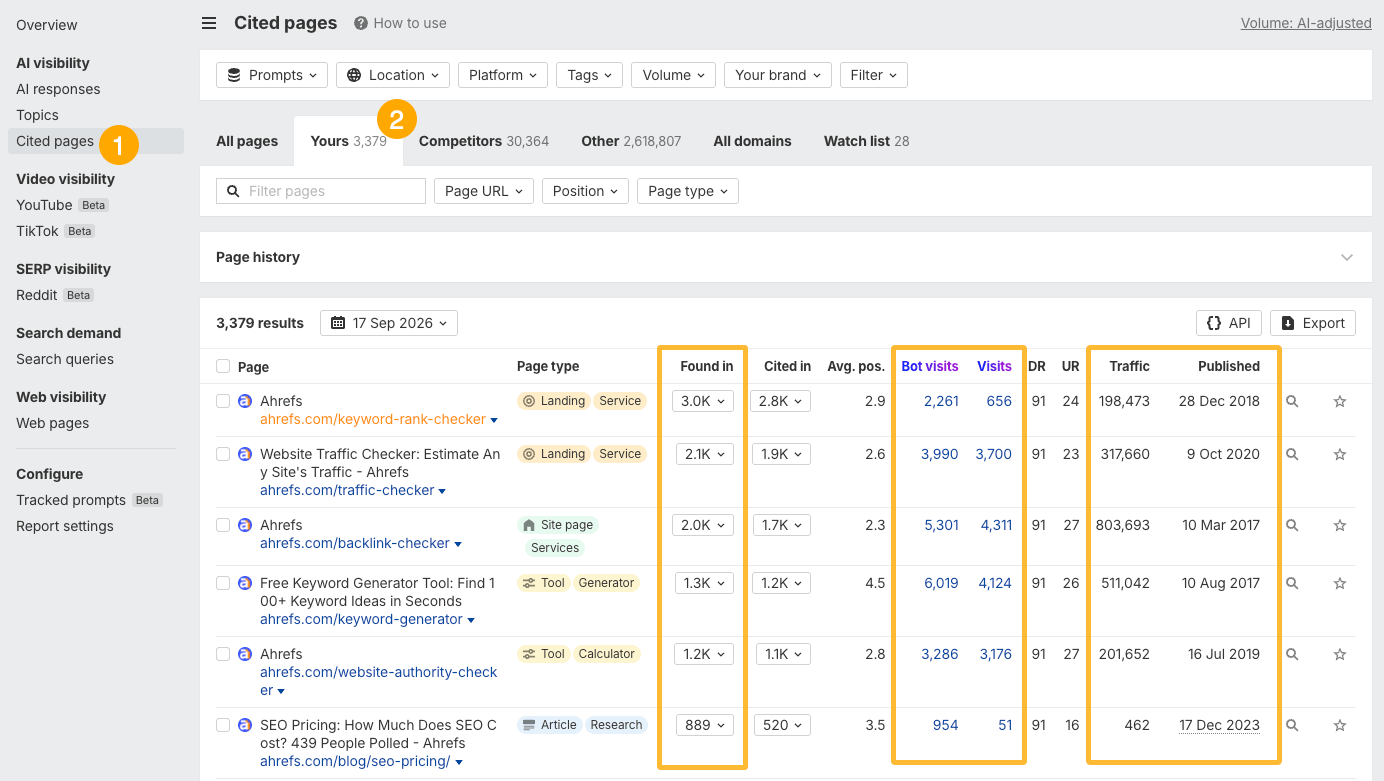
If you’re using Ahrefs Brand Radar, you can quickly find outdated pages that are still being cited by AI and prioritize which ones to update first. You can compare them based on how many AI citations they get, how much organic and AI traffic they receive, and how often AI bots request them.
To find these pages, open the Cited pages report and click the Yours tab.
How an AI agent can help keep facts fresh and consistent
AI agents are especially useful for two jobs here: checking facts and brand consistency before you publish, and monitoring citation freshness and fact accuracy over time.
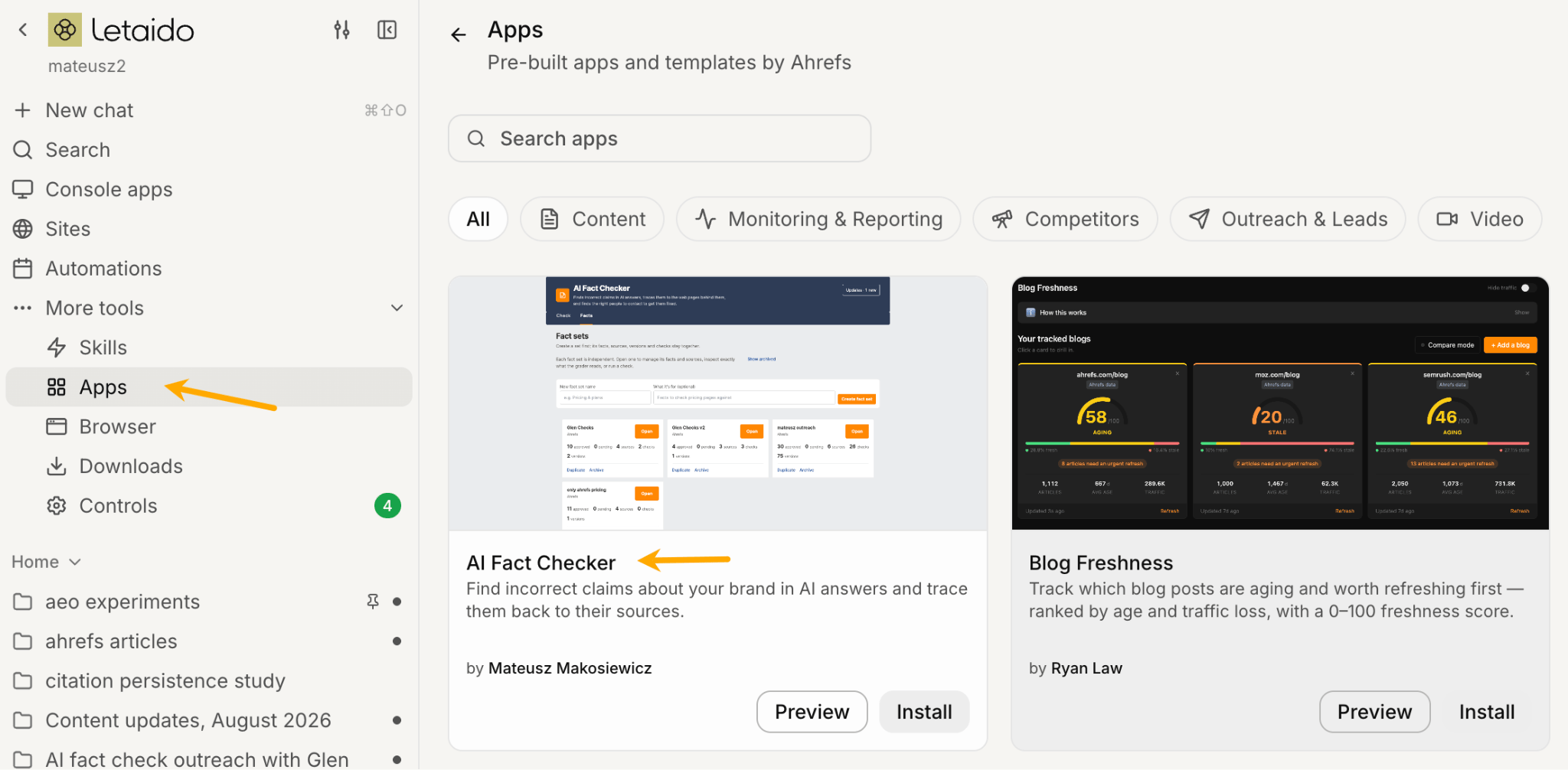
If you’re a Letaido user, you can skip the setup and use the fact-checking app and the AI citation freshness skill I built.
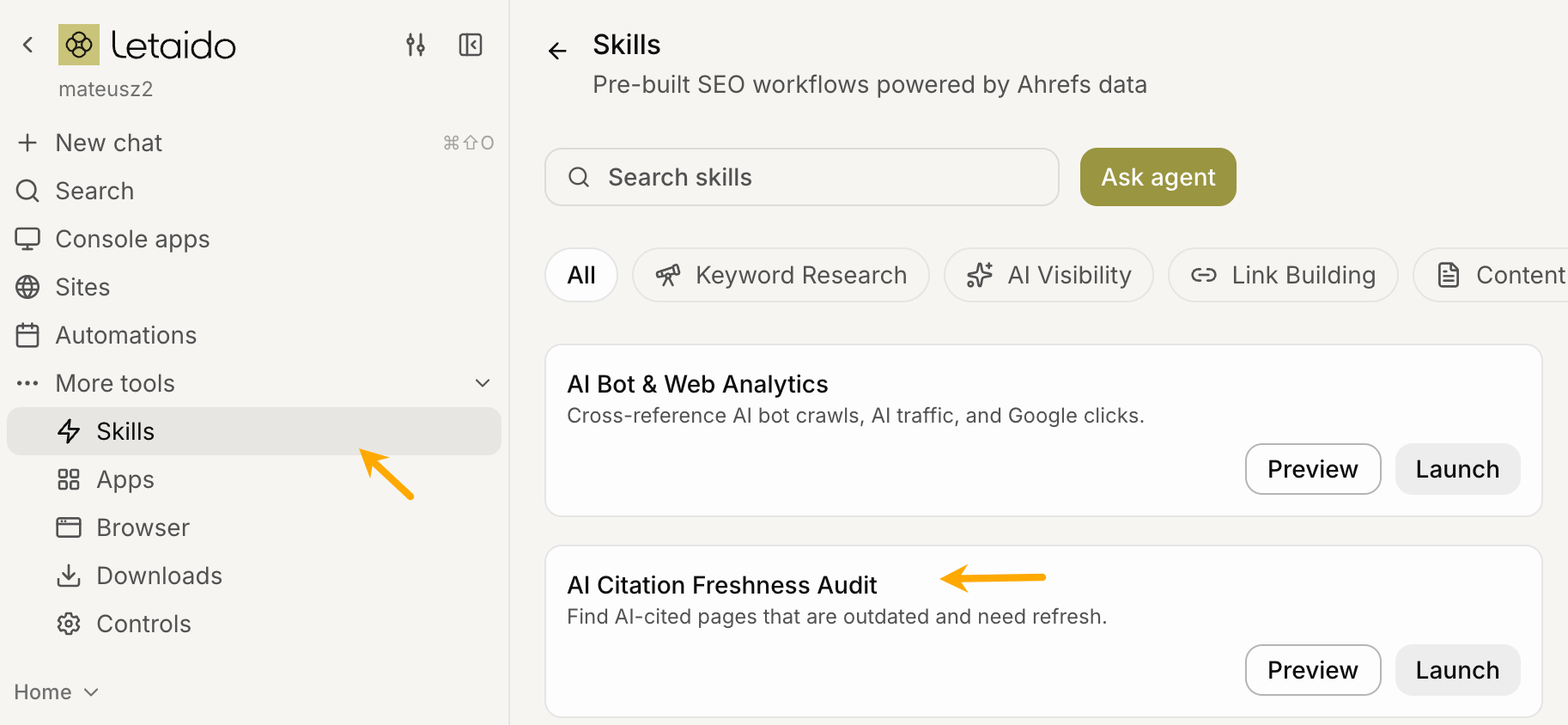
Find cited pages that need a content update
For citation freshness, you can grab the API request code from the Cited Pages report in Brand Radar and give it to your agent with a simple prompt.
In my experience, though, this particular workflow is faster and cheaper if you simply export the report. One caveat: the export is limited to the first 1,000 pages. For most sites, that should still give you plenty to work with.
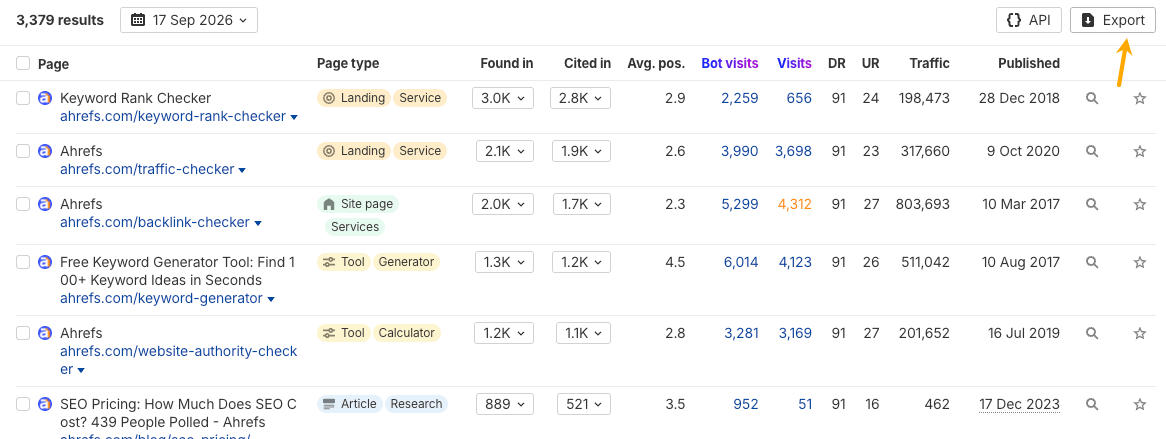
Show me the top 100 pages that are more than three months old and have more than 10 citations. Sort them by citation count and add organic visits. Use this report [options: Brand Radar export file, share report name, API code from Brand Radar/URL of the report].You can also ask your agent to use a specific publish date from the page markup. This is useful because a single page can sometimes contain several different dates, and you may want to tell the AI exactly which one to use.
Fetch a sample of pages from this report and inspect how each page declares its last-updated date.

Find all relevant update-date signals, including:

- dateModified in JSON-LD/schema markup
- article:modified_time in Open Graph metadata
- <time datetime="..."> elements associated with "Updated" or "Last updated"
- visible "Updated" or "Last updated" dates on the page
- any other metadata that appears to represent the last update

Show me a table with the date field, where it appears in the HTML/markup, an example value, and how consistently it appears across the sampled pages.

Do not run the citation freshness analysis yet. Let me choose which field should be treated as the canonical update date.
Once you’ve picked one, you can follow up with:
Use [method] as the canonical update date. Now show me the top 100 pages that haven't been updated in more than three months and have more than 10 AI citations. Sort them by: a) citation count and b) organic visits.For smaller audits, your AI agent can pull page snapshots directly from Ahrefs’ Site Explorer. This is particularly convenient if your Ahrefs plan already includes enough API allowance for the job. At larger scale—say, hundreds of pages—you may want to add a dedicated scraping service like Apify or Browserless for high-volume page retrieval.
Check AI-cited pages against your source of truth
For fact fidelity, you first need to create a source of truth file to check against articles before publishing and already published pages cited in AI answers. These can be the most crucial facts about your product, facts that content creators usually get wrong, or facts that competitors often compete with you.
Aim for one claim per line, in plain language, specific enough that someone can confirm or disprove it in a few seconds. A few examples we actually used in our SOT file:
- Ahrefs pricing starts at $29 per month on the Starter plan.
- Brand Radar is sold separately, priced from $50 per month and doesn’t require a paid Ahrefs subscription.
- API access is included from the Lite plan and above.
Having that list, you can tell your agent something like:
Fact-check this draft before it goes live. Use this fact sheet.Fetch the pages in this report [options: Brand Radar export file, share report name, API code from Brand Radar/URL of the report]. Check them against my fact sheet. Provide corrections with page url, sort them by the number of AI citations and annotate their organic traffic (also AI traffic and bot visits if provided originally in the report I shared).5. Monitor your AI search performance
Monitoring AI citations is fairly straightforward, and most AI visibility tools now offer some version of it. Here’s what citation monitoring looks like in Brand Radar and how to use it.
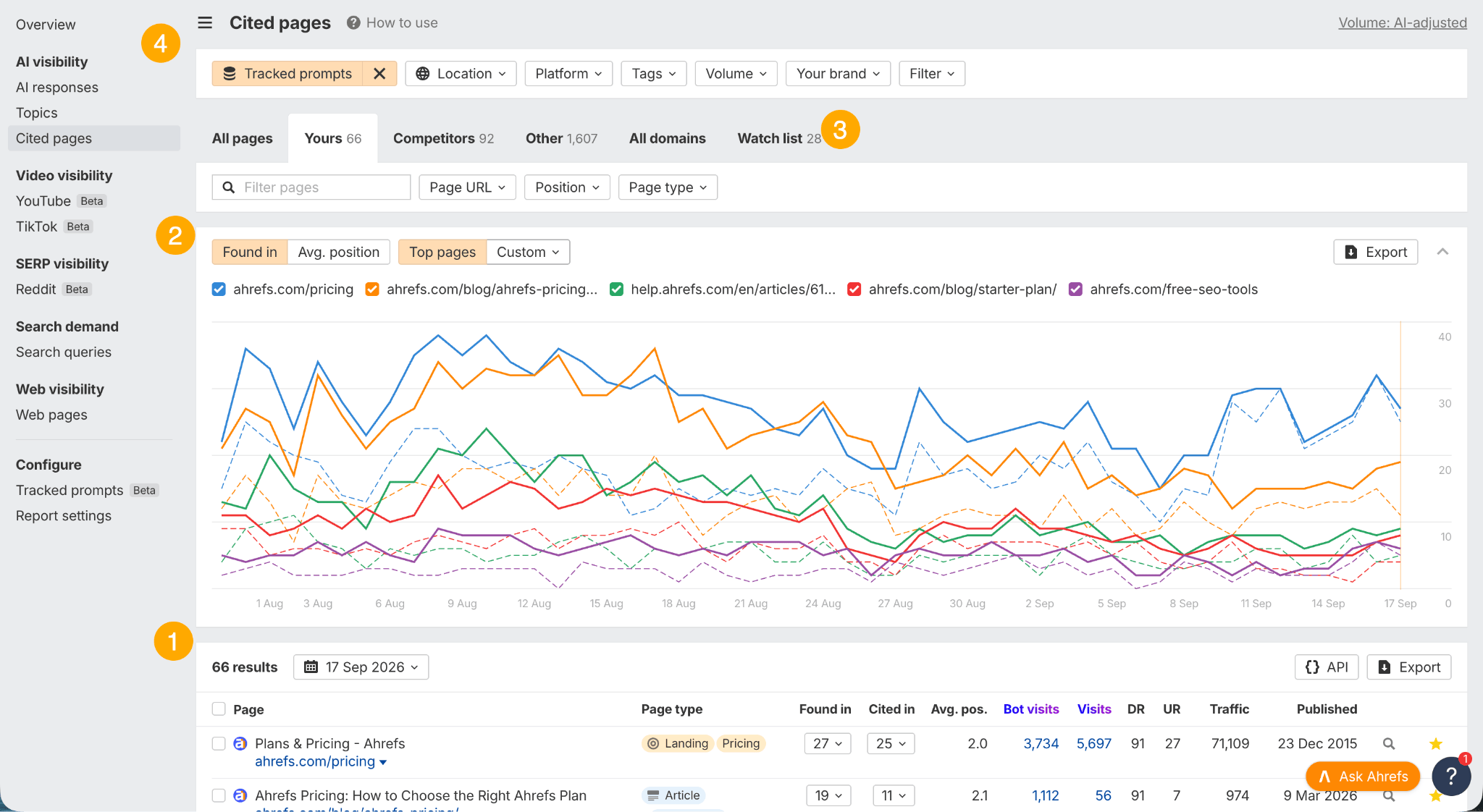
In the cited pages report:
- Cited pages metrics: Compare how often a page is shown as a citation with how often it is “found” (either cited or retrieved without being shown in the answer). Add AI visits and organic visits when deciding which pages to review first.
- History graph: Track how your citation performance changes over time. This is useful for understanding how stable your citations are and spotting major shifts or longer-term trends. Small ups and downs are normal in AI search. You can choose how many pages to display, making it easy to focus on one page or compare several pages side by side.
- Watchlist: Add important pages to a watchlist so you can track them separately. For example, you might add pages created specifically for a recent AEO campaign.
- Filters: Use filters to narrow down the entire dataset. AI Index and prompt tags are especially useful for focusing your analysis.
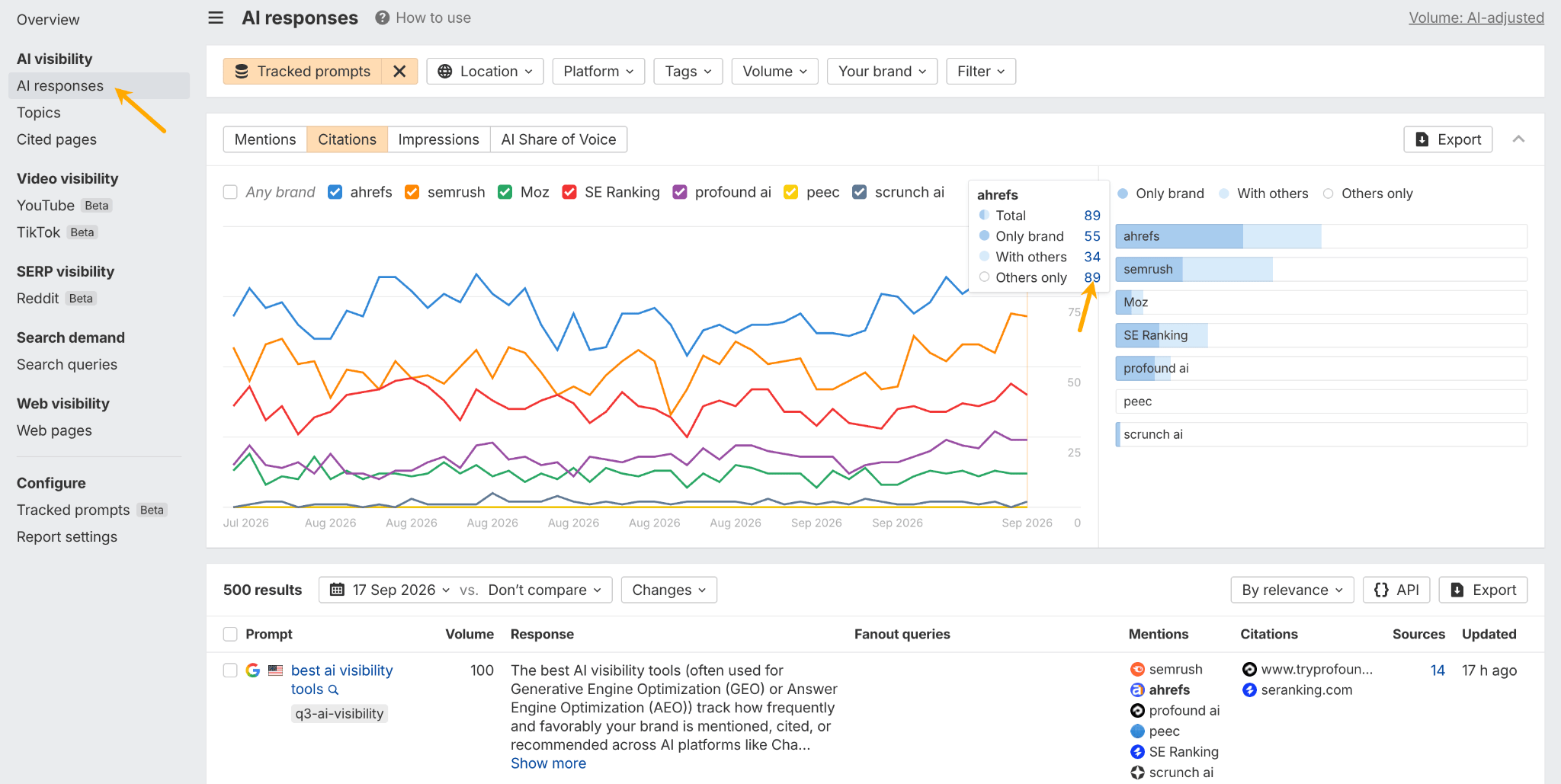
In Brand Radar’s AI responses report, hover over your brand name and select “Others only” to find responses where competitors are cited and your brand is not. These gaps can give you ideas for new content to create.
How an AI agent can help analyze citation performance
One of the easiest ways to check how your citations are performing is to simply chat with the data.
You can use AI to analyze the results for you and create a clear summary of the main patterns, insights, and changes compared with previous periods. You can also set up a regular digest and have it sent to your email, Slack, or a messaging app like WhatsApp.
You could ask something like:
Analyze my citation performance over the last 30 days and compare it with the previous 30 days. Highlight the biggest gains and losses, pages that are being cited more or less often, and any noticeable changes in which AI platforms cite my content. Flag anything unusual or worth investigating, and summarize the 3–5 most important takeaways. Use this report: [share report wit the agent]You can also ask for the data that is not explicitly covered in the tool, but the AI could calculate it for you and visualize it as you like.
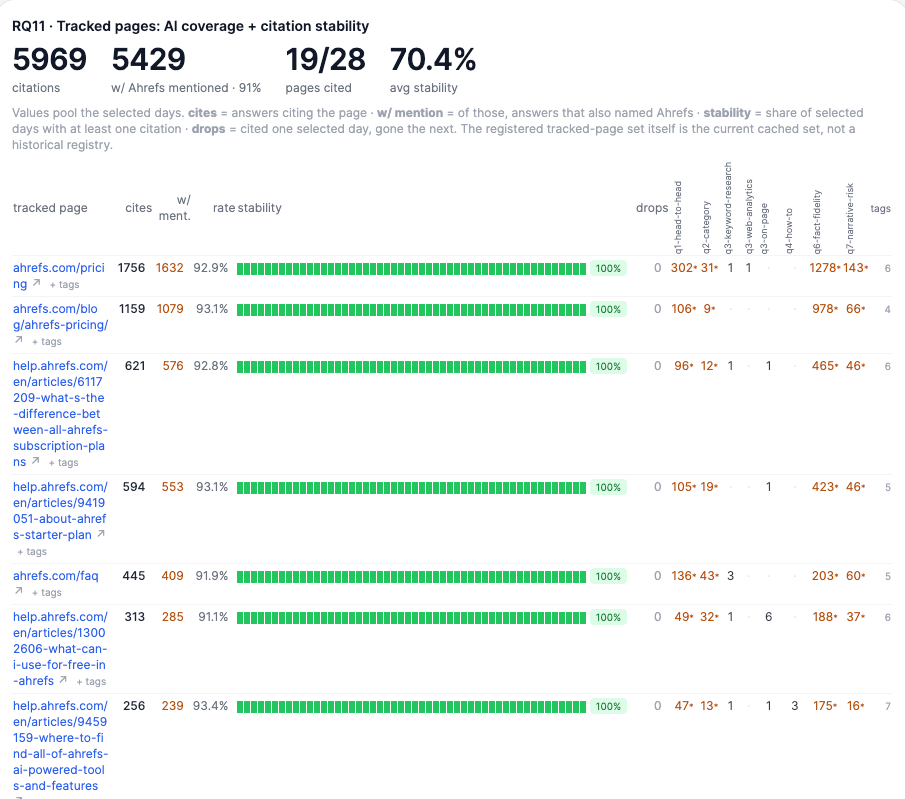
For example, I wanted to track the citation stability of specific pages. This helped me see whether pages I care about were starting to disappear from AI responses, especially in answers where my brand was mentioned. If one of those pages gets dropped as a source, the brand mention could disappear with it.
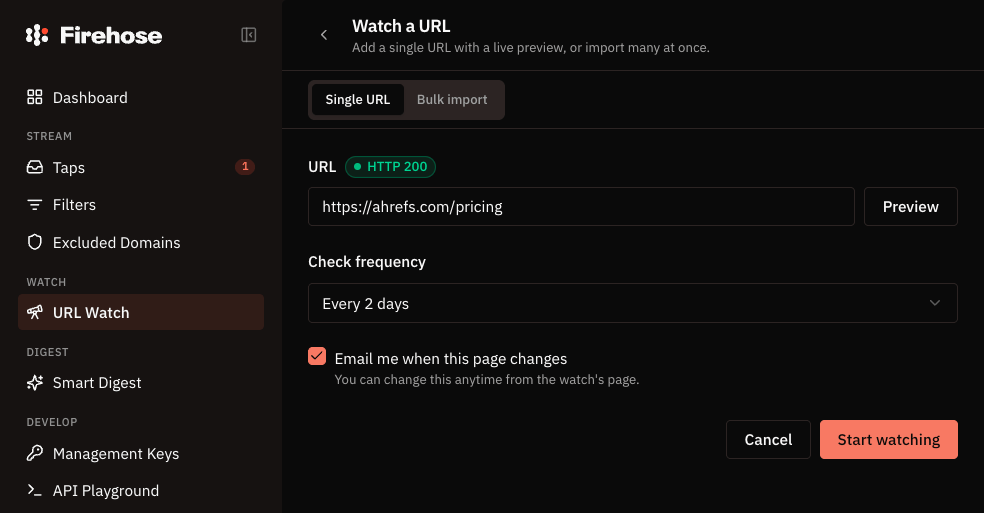
If you want to keep a close eye on your competitors, use a tool like Firehose to monitor the third-party citations you care about. You’ll be able to spot changes almost as soon as they happen and pick up ideas you can use to improve your own content.
Final thoughts
Optimizing for AI search doesn’t necessarily require you to reinvent how you create content.
The fundamentals still matter: make your pages accessible, answer relevant questions with genuinely useful information, make important facts easy to extract, and keep those facts accurate and up to date.
What has changed is how much of this work you can delegate. An AI agent can crawl pages, audit content, check facts, find inconsistencies, and analyze citation data at a scale that would be tedious to handle manually.
That leaves you to focus on the parts AI can’t manufacture for you: original research, real expertise, strong opinions, useful examples, and content strategy.
You don’t need to change who you write for. Keep creating useful content for people, make its value easy for AI systems to recognize, and use AI agents to handle the work that scales poorly by hand.