Real-time collaboration platforms bring people together through shared documents, project spaces, live messaging, video meetings, remote support, and other interactive workflows. These services are judged in the moment: a delayed message, frozen presence indicator, conflicting edit, or unstable call can interrupt work even when the platform remains technically available.
The hosting requirement is therefore broader than bandwidth. A dependable design must account for latency, persistent connections, shared state, bursty traffic, regional users, security, and recovery. The following framework helps enterprises plan infrastructure that keeps collaboration responsive while balancing capacity, resilience, and operating cost.
What Makes Real-Time Collaboration Different?
Many business applications can process a request and return a result later. Collaboration platforms have a synchronous layer: users expect messages, presence, edits, notifications, and media interactions to appear while a session is active. A single action may also pass through authentication, an API, a database, a cache, a message broker, and a notification or media service.
- Users expect immediate feedback for messages, presence changes, edits, permissions, and workflow events.
- Voice, video, and screen sharing are affected by latency, jitter, packet loss, and connection recovery.
- Multiple users may read and change the same shared state at the same time.
- One user action can cross several application, data, queue, and notification components.
- Demand can rise sharply around meetings, working hours, launches, training sessions, or major projects.
- A reconnect should resume the session without losing messages, edits, or document state.
This combination makes consistency more important than a high bandwidth figure on its own. A platform may transfer modest amounts of data but still need a fast and predictable request path. It may also require high throughput for video or file transfer at the same time as low-latency event delivery for chat and shared work.
Core Components of a Collaboration Hosting Stack
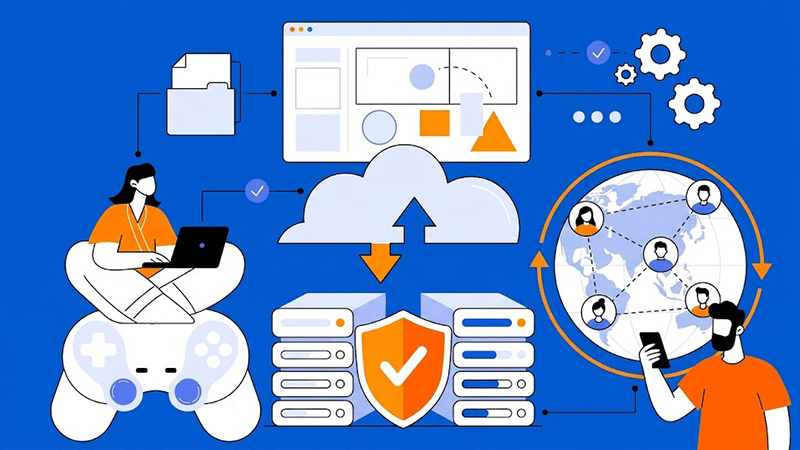
A useful design separates the platform into components according to how they communicate and how they consume resources. The exact architecture varies by product, but a typical stack may include the following layers:
- An edge layer, reverse proxy, and load balancer to terminate secure connections and distribute requests.
- Application servers for authentication, business logic, APIs, permissions, and workspace functions.
- Real-time gateway servers for WebSockets, event fan-out, presence, and connection management.
- WebRTC signalling and, where required, SFU media relays or TURN services for calls and screen sharing.
- Databases, caches, and message brokers that manage shared state, sessions, queues, and notifications.
- Object storage and file-processing services for uploads, previews, indexing, and malware checks.
- Identity, audit, logging, and security controls that protect users, tenants, and collaboration data.
This separation makes it easier to protect the synchronous path from background jobs. For example, a large video conversion task should not consume the same CPU or queue capacity that delivers a message or updates a presence indicator. It also gives the operations team clearer signals when one layer reaches its limit.
How Latency Appears in the User Experience
Users rarely experience latency as a single server metric. They experience the time from an action to a visible result: sending a message, seeing a colleague become available, opening a document, receiving a remote-control response, or hearing another participant speak. Measure those journeys from representative regions rather than relying only on an internal server-to-server test.
Workload requirements differ by industry. Dataplugs’ guide to choosing dedicated server infrastructure for different industries explains why server resources, locations, control, and security should be matched to the application rather than selected from a generic specification list.
- Messaging and presence depend on connection setup, efficient event fan-out, and prompt delivery.
- Shared documents and task boards depend on database writes, conflict handling, and consistent state.
- Audio and video depend on a stable round trip, low variation, sufficient media capacity, and recovery from loss.
- Remote support and interactive control depend on predictable paths, session isolation, and responsive input.
- File collaboration depends on storage throughput and transfer capacity, even when the editing interface is interactive.
Track p50, p95, and p99 results as well as the average. A small group of slow requests can be the difference between a smooth experience and repeated complaints. Tail latency may grow when a database is waiting on a lock, a broker is behind, a media relay is full, or a cross-region dependency adds another round trip.
Choose Hosting by Collaboration Workload
There is no single ideal server profile for every collaboration platform. Start with the workflows that must feel immediate, then size and place their supporting components. A mixed platform may use several hosting profiles within one controlled environment.
- Messaging and presence: prioritise connection capacity, efficient fan-out, fast event delivery, and reliable reconnect handling.
- Shared documents and task boards: prioritise database write performance, state consistency, conflict resolution, and backup design.
- Video meetings: plan media bandwidth, packet handling, jitter and loss monitoring, plus SFU or TURN capacity where applicable.
- Remote support and interactive control: prioritise stable round-trip paths, security, session isolation, and predictable processing.
- File collaboration: plan storage IOPS, file-processing workers, object transfer capacity, and sufficient egress headroom.
- Mixed platforms: isolate background jobs, media workloads, and large transfers from the synchronous application path.
Dedicated server hosting can give an enterprise defined physical resources, a deliberate data-centre location, and more control over software, network, and security configuration. It does not remove the need to design the application, data dependencies, connection limits, and failover behaviour. The benefit comes from matching dedicated capacity to a clear workload plan.
Design Connectivity Across Regions
Global collaboration platforms must decide where users enter the service, where application gateways run, and where shared data is stored. Placing tightly coupled components in distant regions can add round trips to every edit, notification, or database write. A better design uses regional entry points and keeps the most time-sensitive dependencies close together where possible.
Dataplugs’ data-center interconnect connectivity guide explains how data-centre interconnects can link sites for real-time data exchange, replication, disaster recovery, failover, and workload mobility.
- User-to-service distance: identify the regions that generate the most sessions and interactive traffic.
- Application and data locality: avoid unnecessary cross-region calls on the synchronous editing or messaging path.
- Private interconnection and routing: assess the path between sites, its capacity, and its redundancy.
- Failover behaviour: decide how connections, sessions, queued events, and media are handled when a site is unavailable.
- Capacity and transfer cost: allow headroom for meetings, replication, uploads, and recovery traffic instead of sizing for the average day.
Regional placement also has security, governance, and data-residency implications. These requirements should be documented with the performance objectives, so an optimisation does not create an avoidable compliance or recovery problem.
Plan Compute, Memory, Storage, and Network Capacity
Resource planning should follow concurrency and the actual work performed by each tier. CPU cores and clock speed affect application concurrency, encryption, media processing, and file operations. Memory holds active sessions, caches, queues, and working data. Storage latency and IOPS can affect database commits, logs, search indexes, and file processing even when network bandwidth is sufficient.
- CPU: model concurrent requests, encryption, media handling, background jobs, and peak processing time.
- Memory: reserve capacity for active sessions, caches, queues, databases, and growth instead of sizing only for current use.
- Storage: evaluate latency, IOPS, throughput, database logs, backups, indexes, and the rate of file growth.
- Network: consider concurrent connections, packets per second, peak ingress and egress, and replication traffic.
- Separation: consider distinct capacity for web, real-time gateways, media relays, workers, databases, and storage where contention would affect users.
NVMe storage and dedicated resources can help workloads that need predictable response and high transaction activity, but hardware should be validated against application measurements. Overprovisioning one tier while leaving a queue, database, or network path constrained will not produce a consistently responsive platform.
Support Persistent Connections and Session State
Real-time collaboration often uses WebSockets or other long-lived connections rather than a new request for every event. This changes the capacity model: the platform must handle connection counts, heartbeats, idle timeouts, authentication refresh, load-balancer limits, and graceful draining when a server is patched or removed.
- Use explicit heartbeat, timeout, and reconnect rules so dead connections do not consume capacity indefinitely.
- Keep connection state and shared events in an appropriate external store when gateways need to scale horizontally.
- Treat load-balancer affinity as a design choice, not a substitute for a scalable state model.
- Use idempotent event handling, ordering rules, backpressure, and replay or resume logic where the product requires it.
- Drain connections gradually during maintenance and provide a clear degraded or reconnect experience.
Test the failure cases as deliberately as the normal path. A gateway that works under a steady connection load may still fail when thousands of clients reconnect together after a network interruption or deployment.
Scale Without Breaking Synchronisation
Scaling a collaboration service is not just a matter of adding application servers. The design must preserve event order, shared state, permissions, and user visibility as sessions move between nodes. Keep front-end and API tiers as stateless as practical, and give the real-time layer a reliable way to publish and consume shared events.
- Use a pub/sub or message-broker layer to distribute events without forcing every connection through one server.
- Move report generation, indexing, previews, notifications, and other deferred work into controlled queues.
- Protect the database with connection limits, query monitoring, appropriate indexes, and a clear read/write strategy.
- Avoid unnecessary synchronous writes between distant regions; define what can be replicated or reconciled later.
- Load-test meetings, simultaneous edits, reconnect storms, large uploads, and background jobs together.
- Set capacity thresholds and scaling actions for connections, event lag, queue depth, media usage, and storage growth.
The objective is graceful scale. When demand exceeds the preferred level, the platform should protect critical interactions, provide useful feedback, and recover queued work rather than allowing every component to become slow at once.
Build Security Into the Real-Time Path
Collaboration platforms carry business conversations, documents, credentials, and customer information. Security controls must cover both ordinary API requests and long-lived sessions. They should be designed early so encryption, inspection, authentication, or logging does not become an unplanned source of latency or an operational bottleneck.
- Use TLS and secure WebSocket connections, with session tokens and re-authentication rules appropriate to the application.
- Enforce authorisation, tenant isolation, workspace permissions, and least-privilege access at every relevant service.
- Protect public entry points with suitable firewall, WAF, DDoS, rate-limit, and abuse-monitoring controls.
- Scan and isolate uploaded files, and control access to object storage, previews, exports, and backups.
- Keep audit trails for sign-ins, permission changes, file activity, administrative actions, and important collaboration events.
- Patch the operating system, application stack, dependencies, and media components on a controlled schedule.
Security and performance should be reviewed together. A fast system that exposes shared data is not fit for purpose, while a secure system that routinely times out will not support productive collaboration.
Monitor Real-Time Collaboration Performance
Monitoring should connect infrastructure signals to the actions users are trying to complete. Combine synthetic checks from important regions with application traces, server metrics, real-user signals, and media-quality data. This makes it easier to distinguish a slow application path from a regional route, overloaded storage tier, or failing third-party dependency.
- Track p50, p95, and p99 message, API, and request latency, plus WebSocket setup, reconnect, and event-delivery time.
- Track round-trip time, jitter, packet loss, media quality, connection failures, and call recovery by region.
- Track CPU, memory, network, storage wait, database locks, queue time, broker lag, and worker saturation.
- Track regional performance, error and timeout rates, failed edits, dropped events, upload failures, and user outcomes.
- Keep dashboards and alerts tied to service objectives, with enough context to trace a slow journey to its dependency.
Averages can hide the problem. If the average response is healthy but the p99 or reconnect rate is rising, a meaningful group of users may already be experiencing interruptions. Review performance after changes to hosting locations, routing, code, storage, security controls, or capacity.
Plan Failover, Backup, and Recovery
Availability for collaboration is more than keeping a web page online. The recovery plan must address shared data, user sessions, event ordering, file processing, media services, and the dependencies that connect them. Define recovery point objectives (RPO) and recovery time objectives (RTO) for each important workload, then test whether the architecture can meet them.
- Use application-consistent database backups and snapshots, with retention that matches business and recovery needs.
- Replicate critical data and files deliberately, and document the lag, ordering, and security of that replication.
- Test restoring databases, object storage, configuration, identity data, queues, and application servers.
- Test gateway, signalling, media, and DNS or routing failover, including the behaviour of existing sessions.
- Define a degraded mode, such as read-only access or queued work, when full real-time operation is temporarily unavailable.
A backup that has never been restored is an assumption, not a recovery capability. Include recovery exercises in the same operating calendar as patching, capacity tests, and security reviews.
Use a Practical Infrastructure Decision Framework
A repeatable decision process keeps infrastructure choices connected to the user experience and the budget. Review the following points before selecting a hosting location, server profile, or connectivity design:
- Map user regions, device types, session patterns, collaboration workflows, and peak periods.
- Map the synchronous path and every dependency involved in sign-in, messaging, editing, meetings, uploads, and recovery.
- Define objectives by user journey, region, workload, and business priority rather than one platform-wide average.
- Benchmark normal load, peak load, degraded paths, reconnect storms, dependency delays, and site failover.
- Choose server locations, connectivity, compute, memory, storage, and tier separation from those measurements.
- Test state recovery, backup restoration, security controls, scaling actions, and the user experience during failure.
- Revisit the plan when traffic, code, providers, data locations, user regions, or service objectives change.
This framework turns collaboration hosting into measurable choices. It also shows whether a problem is best addressed by moving a workload, adding capacity, improving application behaviour, changing a data path, or protecting a critical service from background work.
Balance Performance, Cost, and Resilience
A lower-latency design can require additional regions, private connectivity, replicated data, media capacity, monitoring, and more operational coordination. Model these costs alongside servers, bandwidth, storage, support, security, backup, and recovery. The aim is not to give every interaction the most expensive architecture; it is to invest where delay or interruption has a meaningful business impact.
For international platforms, include interconnection and replication traffic in the long-term plan. A design that is fast on an ordinary day but difficult to operate, expensive to recover, or fragile during a regional incident may not provide the best overall value.
Conclusion
Hosting infrastructure for real-time collaboration platforms must align with the interaction type, shared-state model, traffic geography, security requirements, and recovery plan. Bandwidth is important, but it is only one part of a responsive service. Persistent connections, database behaviour, media paths, queues, regional placement, and tail latency all shape what users feel.
Dataplugs can help enterprises evaluate dedicated server environments for collaboration platforms with distributed users, mixed workloads, and regional connectivity needs. The right environment should match the workload, network design, service objectives, resilience requirements, and budget.
For more information about Dataplugs hosting solutions, contact sales@dataplugs.com.