Most pages that rank #1 for a keyword don’t just rank for that one term. They rank for hundreds—sometimes thousands—of related keywords.
Secondary keywords are how you capture that extra traffic. They’re the supporting terms that help your page rank for more searches without creating separate content for each variation.
In this guide, you’ll learn what secondary keywords are, how to find them, and how to use them to maximize your content’s reach.
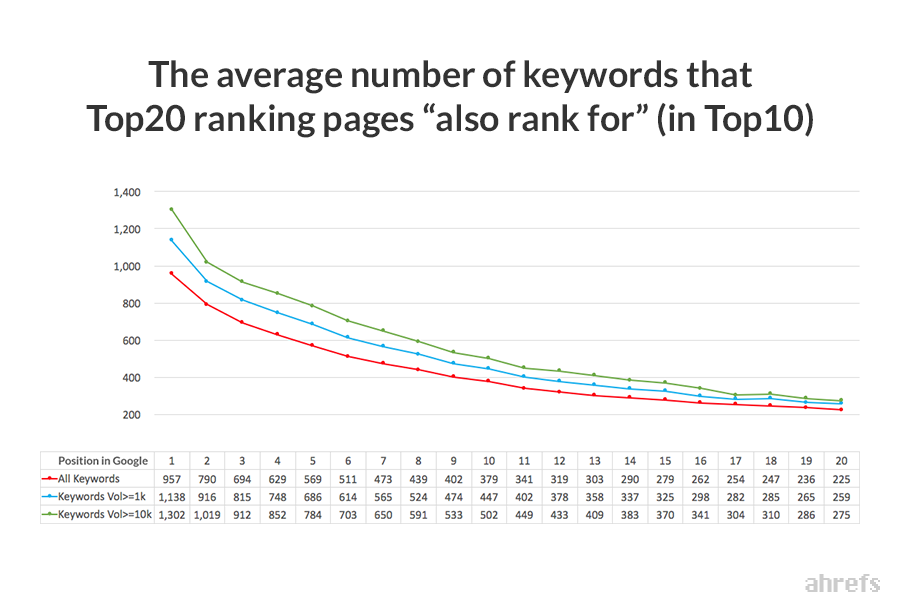
That’s not a typo. A page targeting “how to make cold brew coffee” might also rank for “cold brew ratio,” “cold brew coffee recipe,” “how long to steep cold brew,” and hundreds of other variations.
This matters because your total traffic potential is much higher than any single keyword’s search volume suggests.
Take a keyword with 1,000 monthly searches. If you rank #1, you might expect around 300 clicks (roughly 30% CTR for position one, if you’re lucky). But if that page also ranks for 50 secondary keywords with their own search volumes, your actual traffic could be 2-3x higher.
Sidenote.
This is known as Traffic Potential—the total estimated traffic the #1 ranking page gets from all keywords it ranks for. It’s usually a better metric to look at than individual keyword search volume.
Secondary keywords also help search engines understand your content’s depth. When your page naturally covers multiple related terms, it signals comprehensive coverage of the topic.
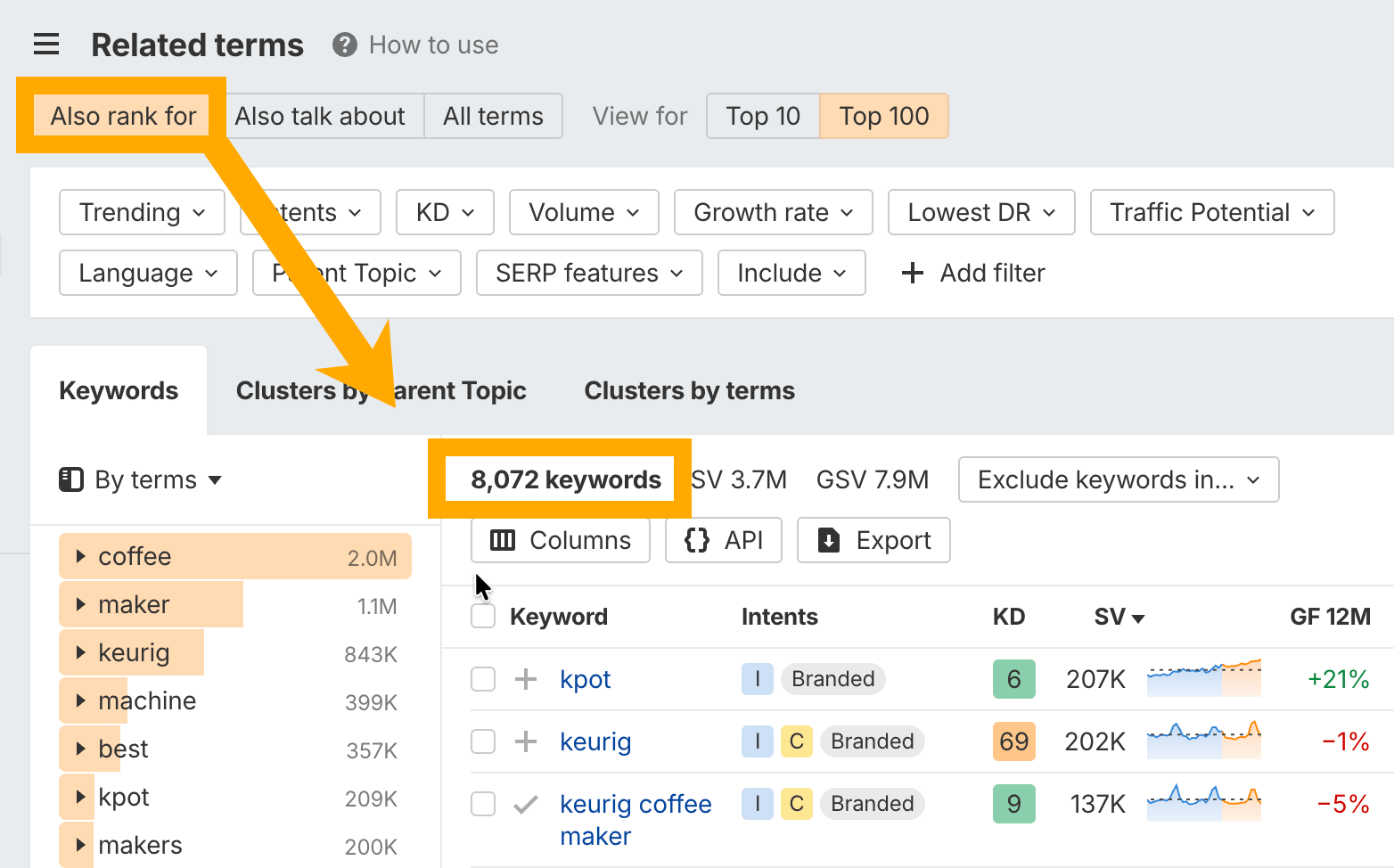
Keywords Explorer showing the Related terms → Also rank for report for “coffee maker”.
You’ll typically see hundreds or thousands of keywords here. To narrow them down:
- Filter by the same Parent Topic: This keeps you focused on keywords Google considers part of the same topic
- Sort by volume: Focus on higher-volume terms first
- Look for question keywords: These often make great H2 subheadings
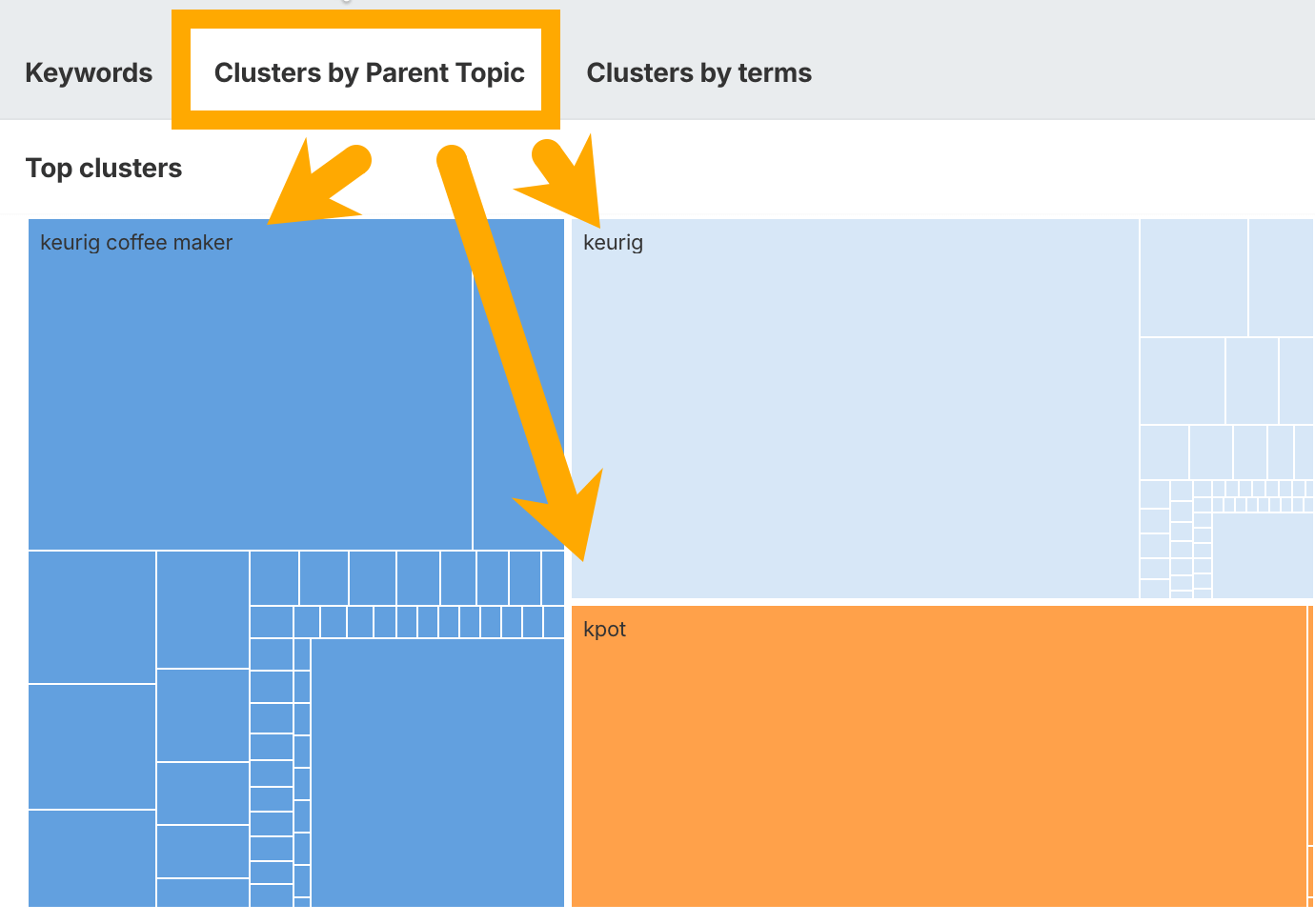
The Parent Topic filter is particularly useful. Keywords with the same Parent Topic are ones Google thinks belong together—meaning you can usually rank for them with a single page.
Check what your competitors rank for
Another approach: find a page that ranks well for your target keyword and see exactly what other keywords it ranks for.
Tip
Go to Ahrefs’ Site Explorer and paste in the URL of a top-ranking page. Then head to the Organic keywords report. This shows you every keyword that specific page ranks for.
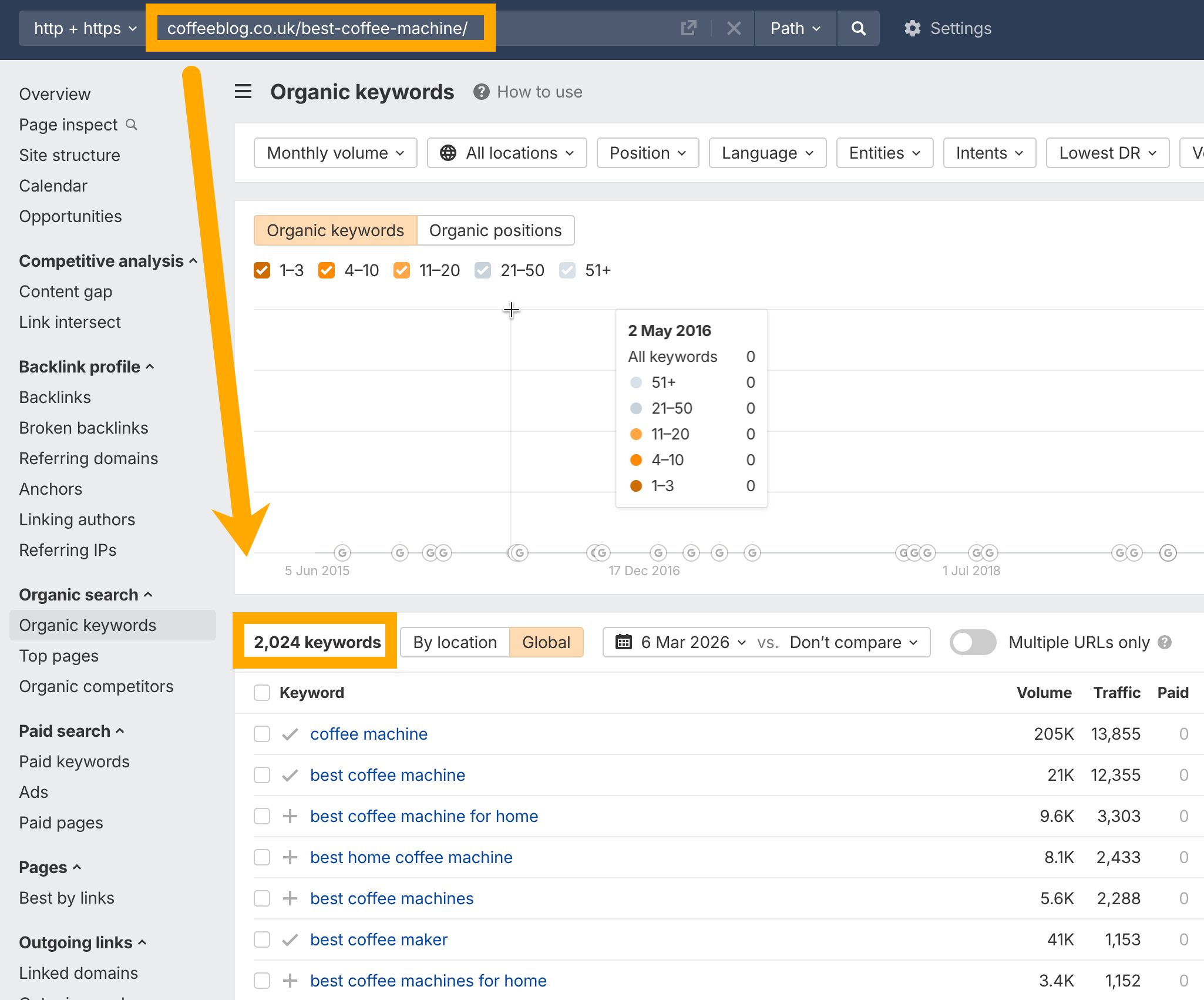
Site Explorer → Organic keywords report showing keywords for a competitor URL.
Export this list and look for:
- Keywords you hadn’t considered
- Question variations
- Different ways of phrasing your topic
- Subtopics you should cover
This is especially useful when you’re updating existing content. Compare what you rank for versus what competitors rank for to find gaps.
Use the Matching terms report
The Matching terms report in Keywords Explorer takes a different approach. Instead of showing what other pages rank for, it shows keyword variations that contain your seed terms.
You have two modes:
- Terms match: Keywords containing your seed words in any order
- Phrase match: Keywords containing your exact phrase
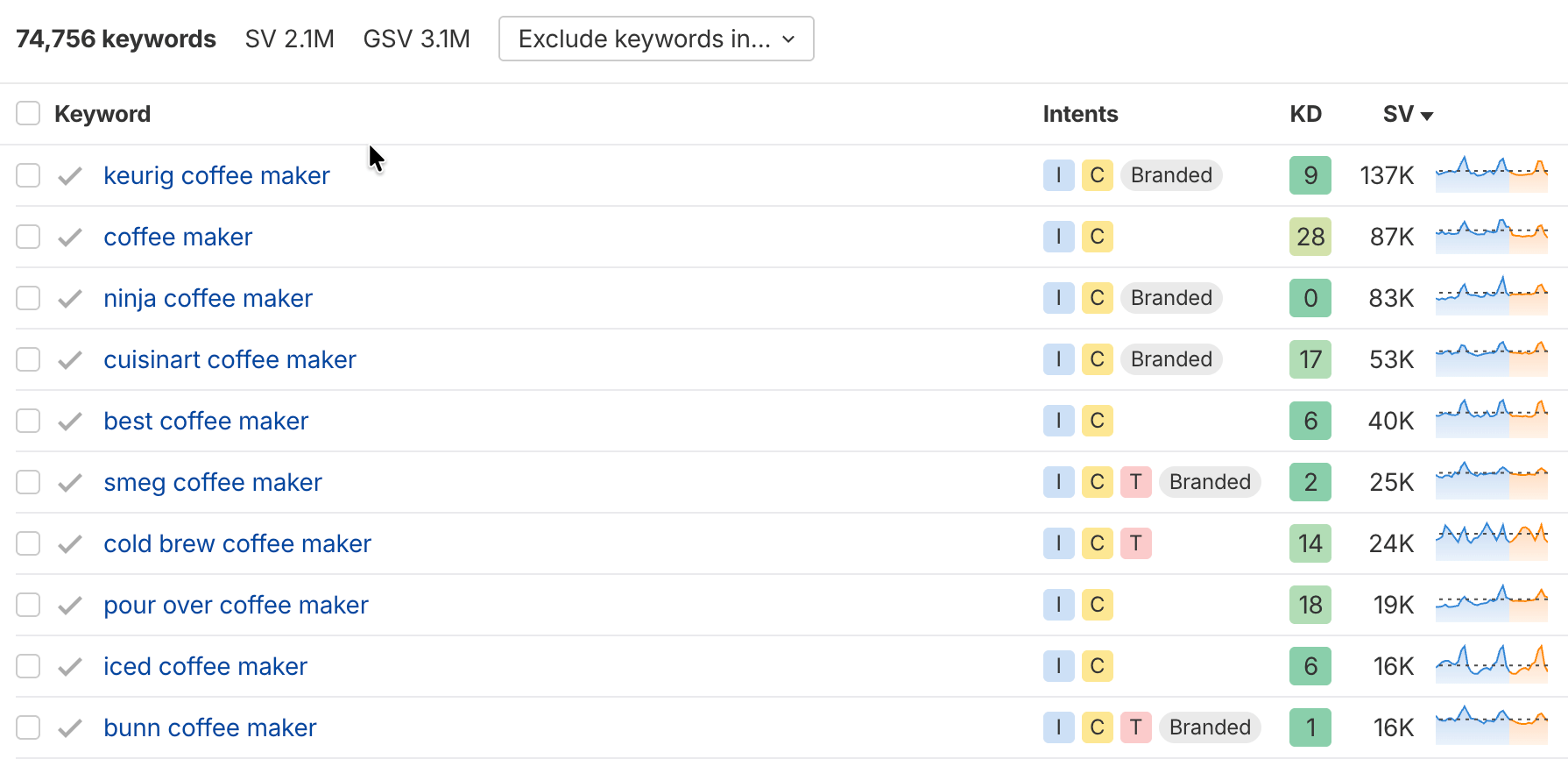
The Exact match mode shows keywords that include your exact primary keyword.
For example, if your seed keyword is “coffee maker”:
- Terms match might show: “best maker of coffee machines” or “coffee pod maker”
- Phrase match would show: “best coffee maker” or “coffee maker with grinder”
This report is particularly good for finding question-based keywords. Filter to include “what,” “how,” or “why” to find questions your article should answer.
Use AI Content Helper for subtopic suggestions
Ahrefs’ AI Content Helper analyzes the top-ranking pages for your keyword and suggests subtopics you should cover.
It works by scanning what the current SERP leaders include in their content, then highlighting gaps in your draft. Instead of manually reading through 10 competing articles, you get an AI-generated list of topics and questions that top pages address.
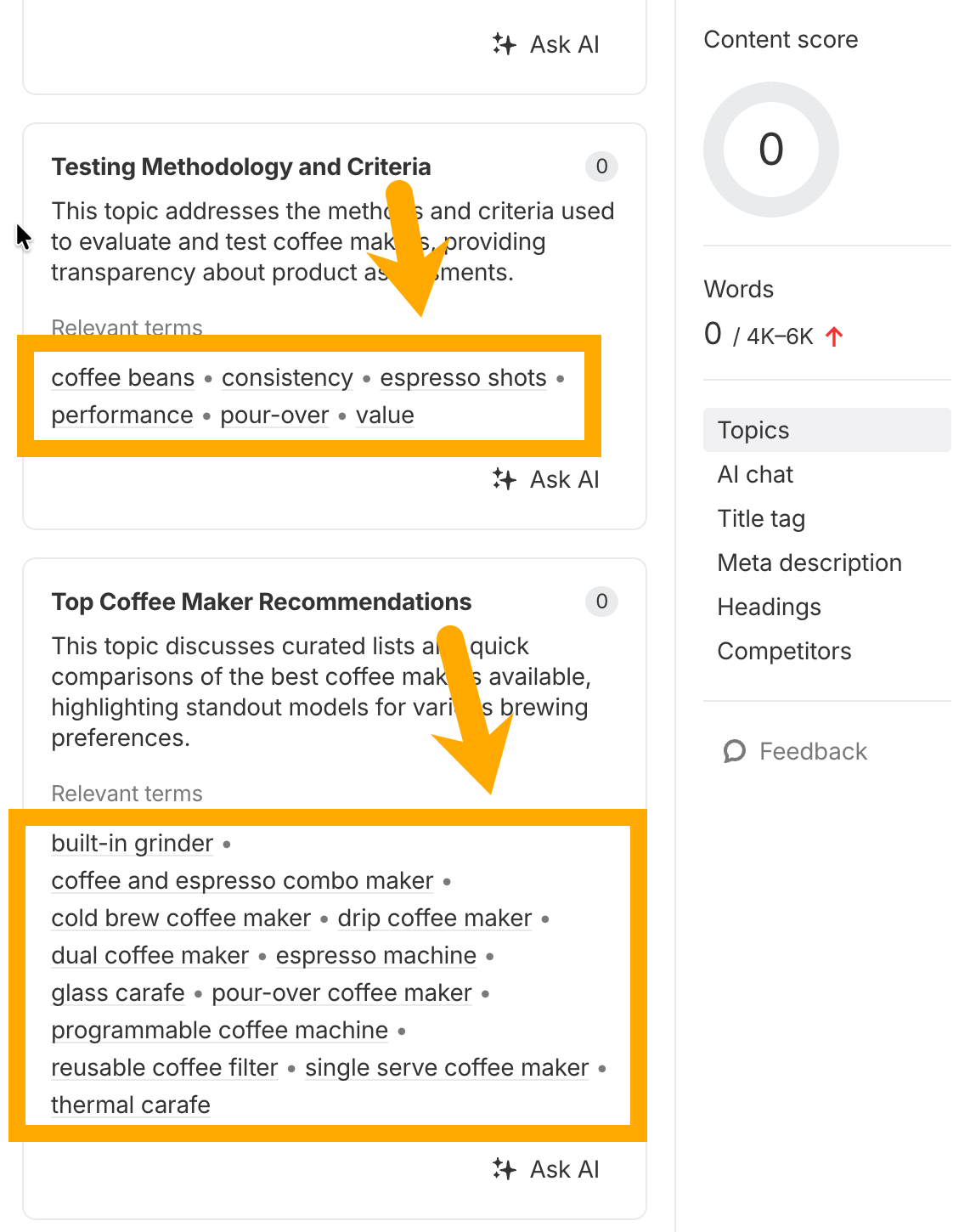
To use it:
- Open AI Content Helper and enter your target keyword
- Review the suggested subtopics based on SERP analysis
- Check which ones align with secondary keywords you’ve already identified
- Add relevant subtopics to your outline
This is especially useful for comprehensive guides where you might miss important angles. The tool essentially reverse-engineers what’s working in search results and tells you what to include.

Here’s Google’s John Mueller with a pretty definitive stance on LSI keywords.
Secondary keywords are a simpler and more practical concept. Instead of guessing what Google considers semantically related, you look at what pages actually rank for. It’s based on real search data rather than theoretical relationships.
Don’t worry about finding “LSI keywords.” Focus on finding keywords that real pages rank for alongside your primary keyword.
Further reading
What is keyword mapping?
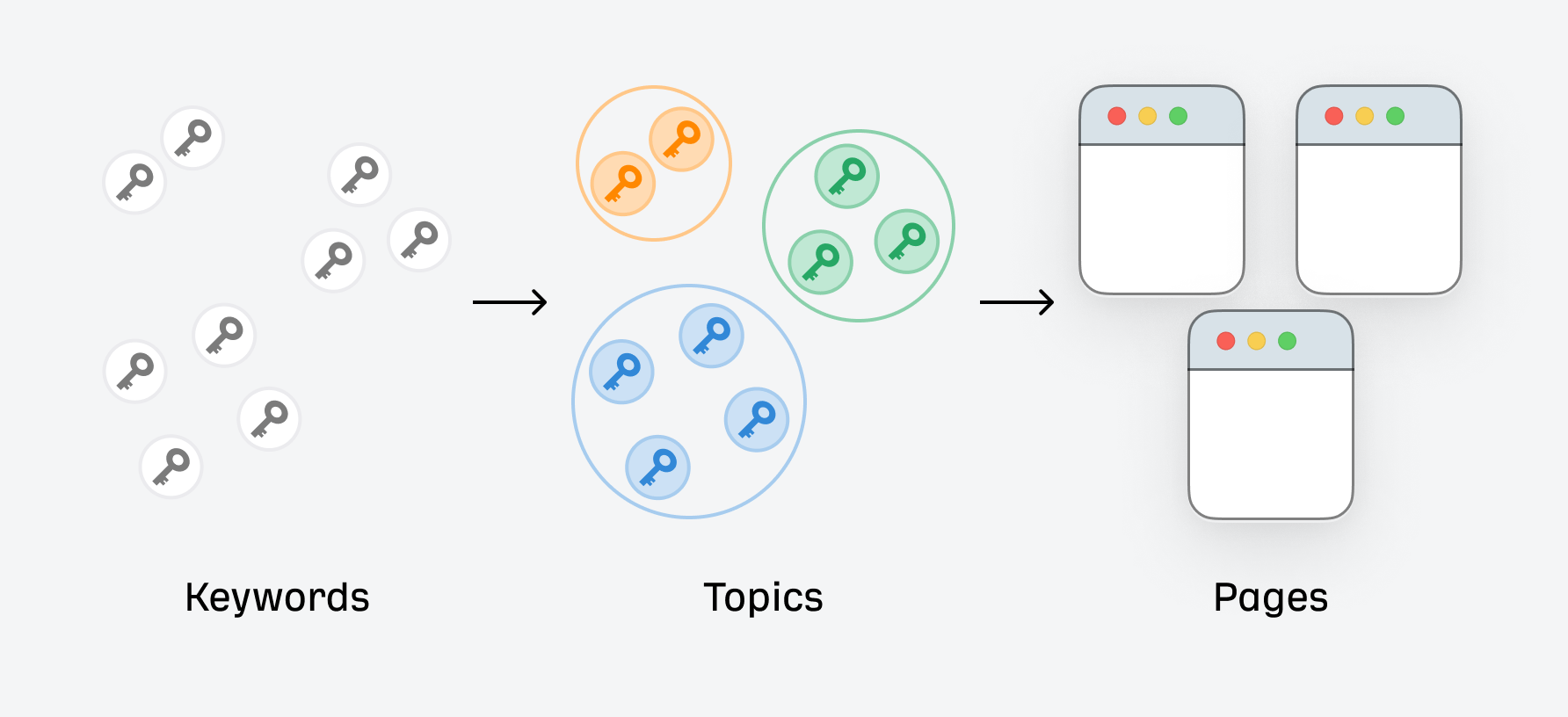
Keyword mapping takes clustering a step further. It’s the process of assigning keyword clusters to specific pages in your content hierarchy.
A simple keyword map might look like this:
| Page | Primary Keyword | Secondary Keywords (Cluster) |
|---|---|---|
| /espresso-guide/ | how to make espresso | espresso recipe, espresso brewing, making espresso at home |
| /espresso-machines/ | best espresso machine | espresso maker, home espresso machine, espresso machine reviews |
| /espresso-vs-coffee/ | espresso vs coffee | difference between espresso and coffee, is espresso stronger |
This creates a clear content hierarchy where each page owns a cluster. No overlap, no cannibalization.
Keyword mapping also reveals content gaps—clusters you’ve identified but don’t have pages for yet. These become your content roadmap.
How to cluster and map keywords in Ahrefs
Here’s a practical workflow:
Step 1: Export your keyword list
Start with a large list of keywords from the Related terms or Matching terms reports. Export to CSV.
Step 2: Use the Clusters view
In Keywords Explorer, switch to the Clusters by Parent Topic tab. This groups keywords by their parent topic—a proxy for search intent.
Step 3: Create your map
For each cluster, decide:
- Does this cluster deserve its own page?
- Which existing page should target this cluster?
- Is this cluster too small to prioritize?
Map clusters to URLs in a spreadsheet. This becomes your master cluster map for content planning.
Further reading
Step 4: Check for cannibalization
Use Site Explorer to see if multiple pages on your site already rank for the same keywords. If they do, consider consolidating content or adjusting your targeting.
Tip
Clustering and mapping is most valuable for larger sites with hundreds of pages.
If you’re just starting out, focus on finding secondary keywords for individual articles first.
You can build toward a full cluster map as your content library grows.
Secondary keywords are the related terms that help your page rank for more searches. They’re not extra work—they’re how you maximize the return on content you’re already creating.
To find them:
- Use the Also rank for report to see what top pages rank for
- Check competitor pages in Site Explorer
- Look for variations in the Matching terms report
The goal isn’t to hit a keyword quota. It’s to understand what topics your content should cover. If you address the same subtopics that successful pages cover, you’ll naturally rank for the same secondary keywords.
Further reading
Similar Posts
If I Wanted to ACTUALLY Understand Bitcoin in 2026, I’d Start Here
Tangem is the best cold wallet for beginners. Get it here for 10% off: https://tangem.com/en/pricing/?promocode=CYBERSCRILLA#pricing Here…
DNS Anycast Deployment for Latency Reduction in CDN Architectures
In the digital era where milliseconds count, the efficiency of content delivery has become a defining…
Controlling the content of text sections in the [gpt_article] shortcode
The [gpt_article] shortcode used in the CyberSEO Pro and RSS Retriever plugins has introduced a new…
Multi-Region Load Balancing Using Anycast, GeoIP Routing
Multi-region load balancing is not simply a checkbox for global service delivery—it’s a multi-faceted engineering discipline…
What Are the International Routing Challenges for Cross Border Websites?
In a globally distributed environment, performance issues rarely come from weak servers. They come from how…
How GPU Servers Support Commercial Workloads Beyond Gaming?
When businesses look at GPU infrastructure, the main concern is usually not raw processing power. It…


![Controlling the content of text sections in the [gpt_article] shortcode](https://vmcloud.com.au/wp-content/uploads/2025/04/controlling-the-content-of-text-sections-in-the-gpt_article-shortcode-768x439.png)